
WGS ClientX – Client Area & Ticket Department Guide
How to Change the Layout of the Ticket Department Page
ClientX allows you to customize the layout of the Ticket Department page to maintain a consistent and modern support experience for your clients.
Accessing Ticket Department Page Settings
Before modifying the Ticket Department page layout, follow these steps:
-
Log in to your WHMCS Admin Panel.
-
Navigate to Addons > WGS ClientX > Settings.
-
Click Settings and open the Page Settings tab.
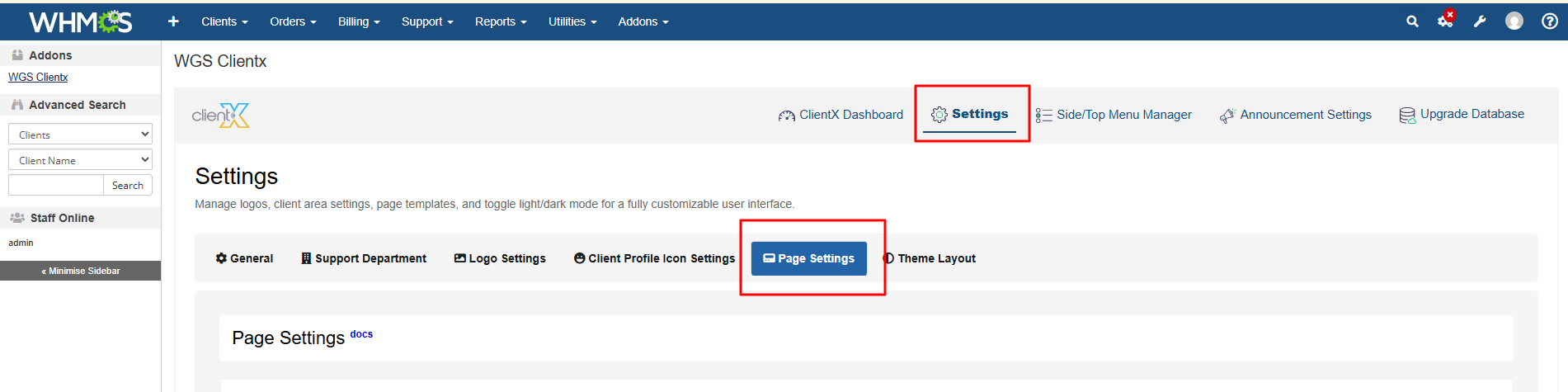
Managing Ticket Department Page Layout
-
Under the Page Settings tab, locate the Ticket Department section.
-
Click the Manage button.
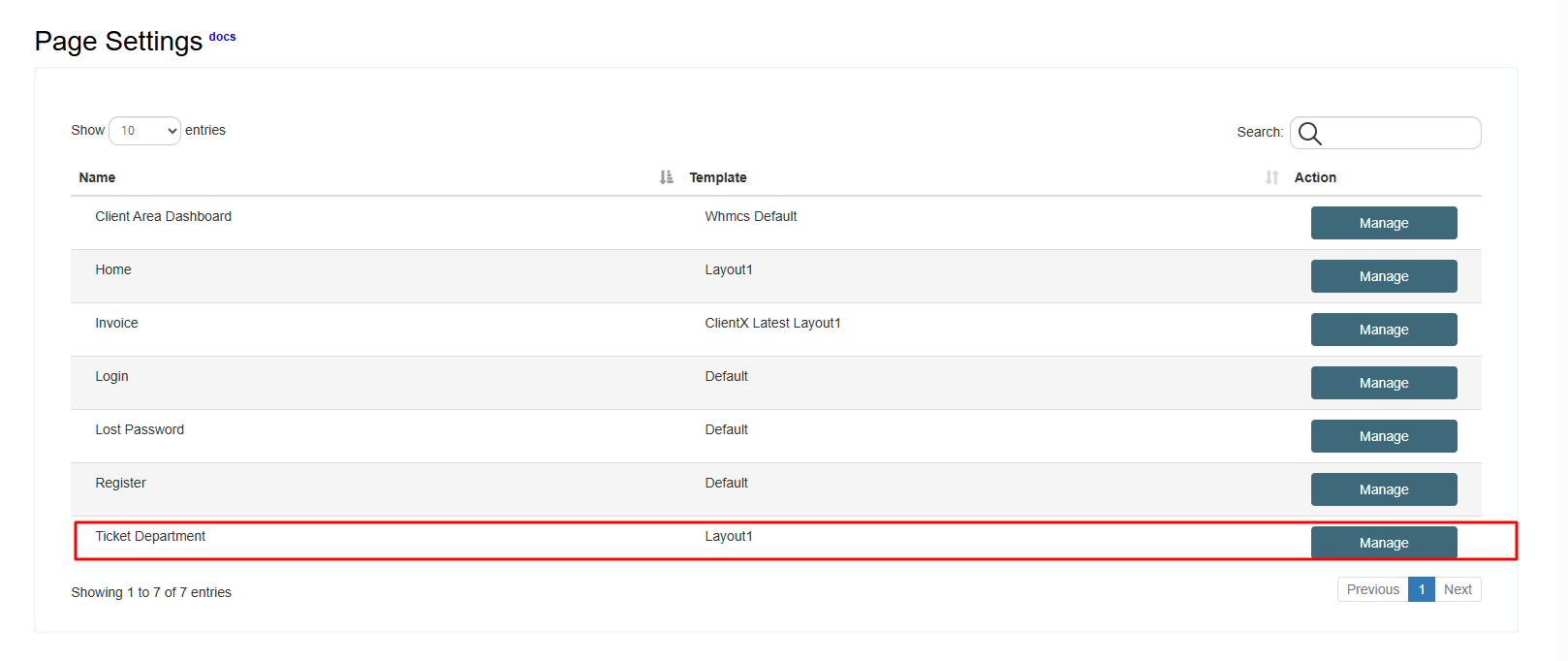
-
You will be redirected to the Ticket Department Page Template screen.
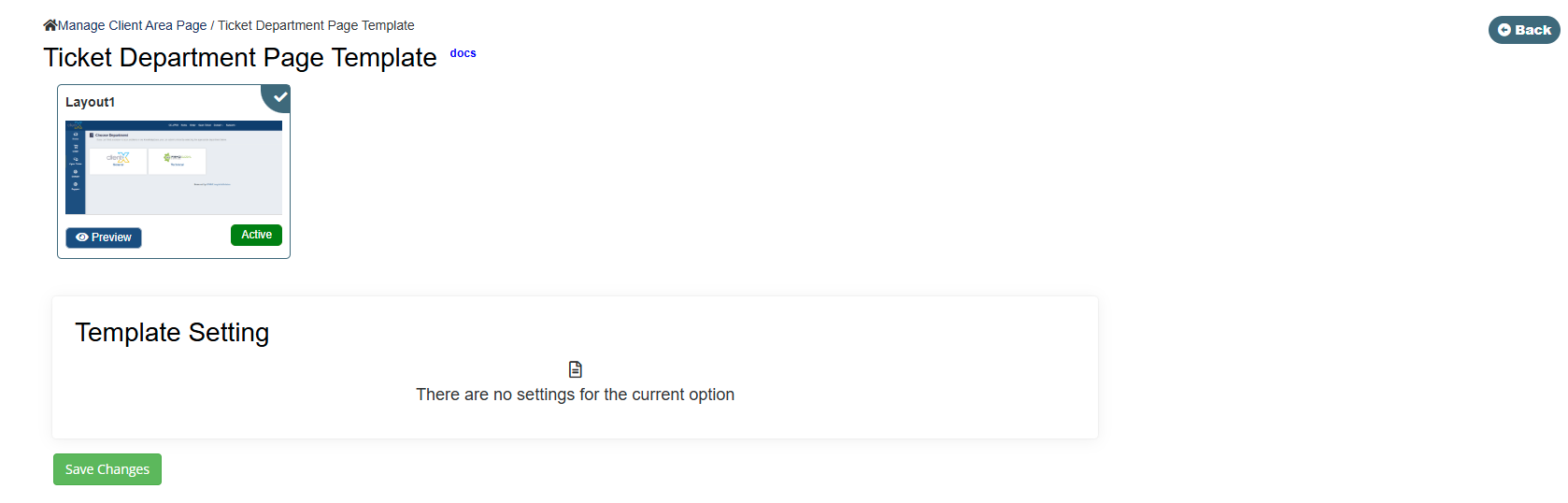
Available Ticket Department Layout Option
On the Ticket Department Page Template screen, the following layout option is available:
Layout 1
Select Layout 1 and click Save Changes to apply it.
Layout 1
Frontend Preview
-
When Layout 1 is selected, the Ticket Department page will appear on the frontend as shown below.
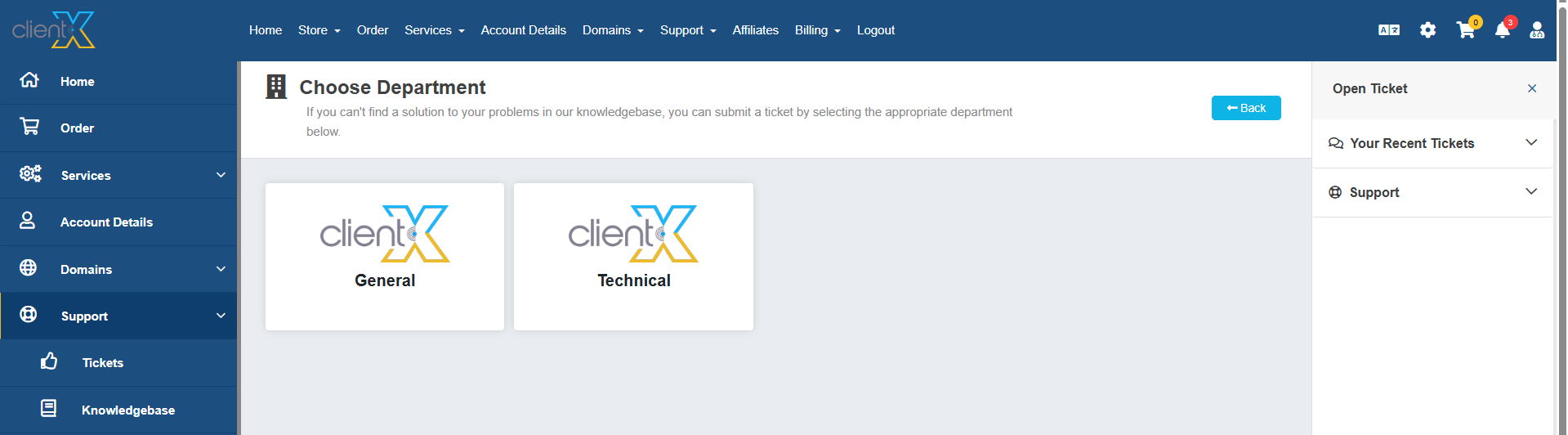
This layout provides a clean and user-friendly interface for browsing and accessing support departments.
