
WGS ClientX – Client Area & Invoice Settings Guide
How to Change the Layout of the Invoice Page
ClientX allows you to easily switch between multiple invoice page layouts to control how invoices are presented in the client area.
Accessing Invoice Page Settings
Before modifying the invoice layout, follow these steps:
-
Log in to your WHMCS Admin Panel.
-
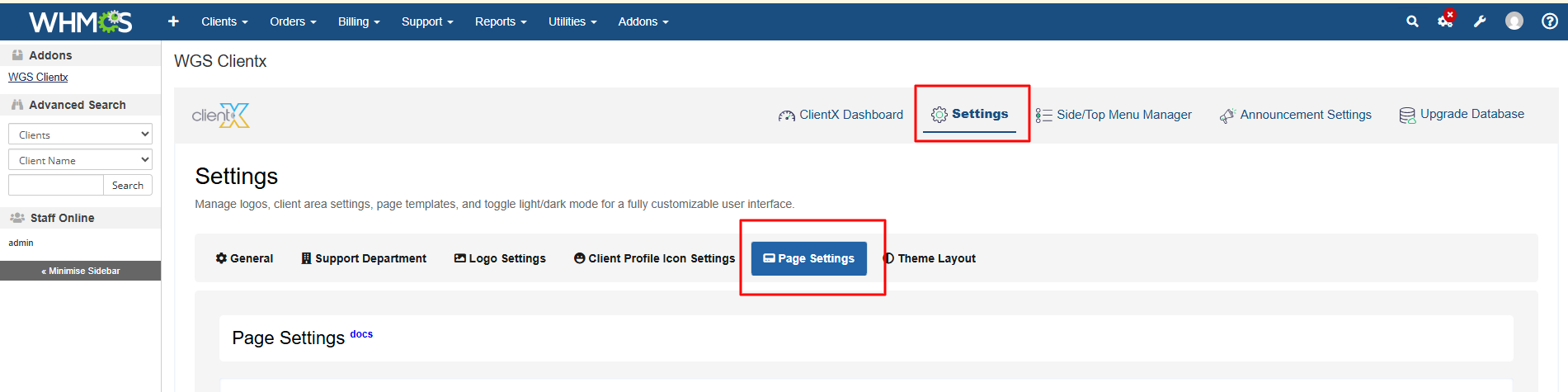
Navigate to Addons > WGS ClientX > Settings.
-
Click Settings and open the Page Settings tab.
Managing Invoice Page Layout
-
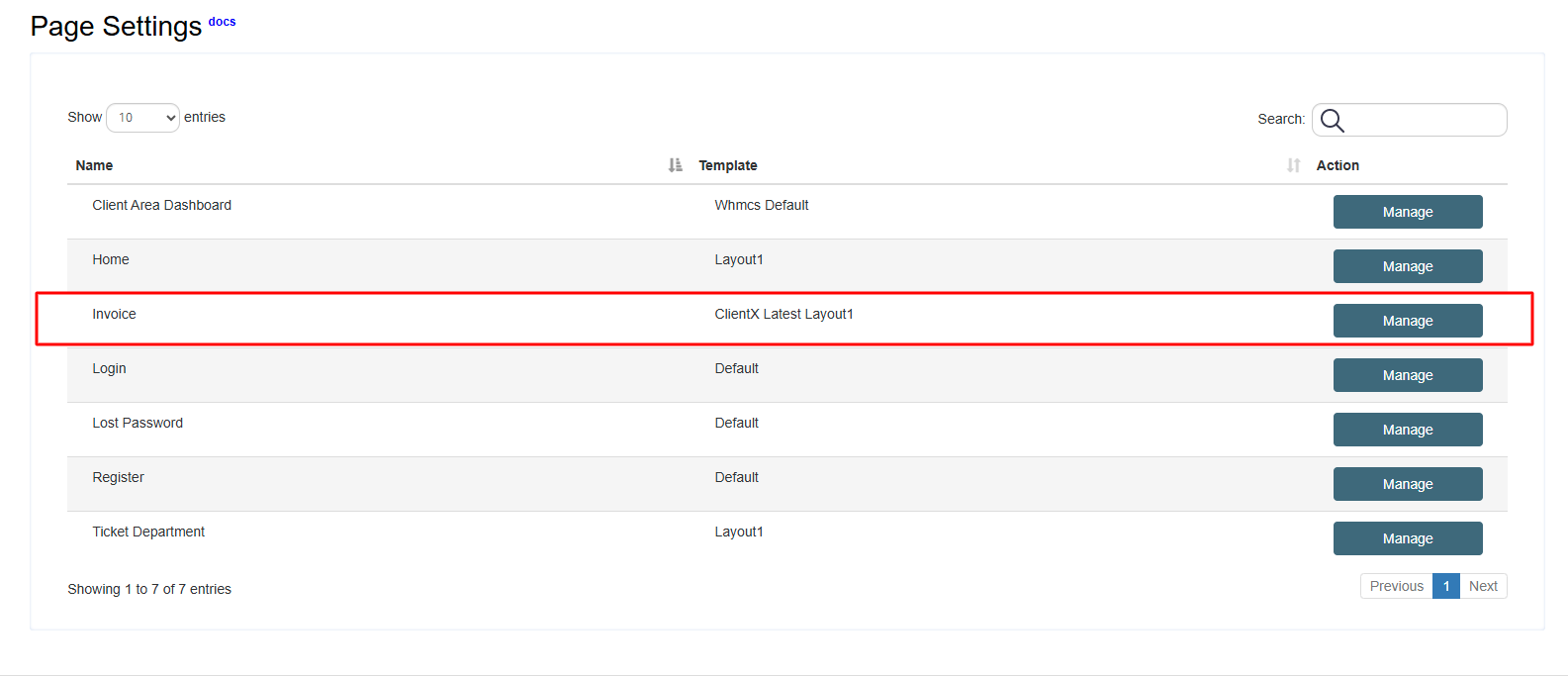
Under the Page Settings tab, locate the Invoice section.
-
Click the Manage button.
-
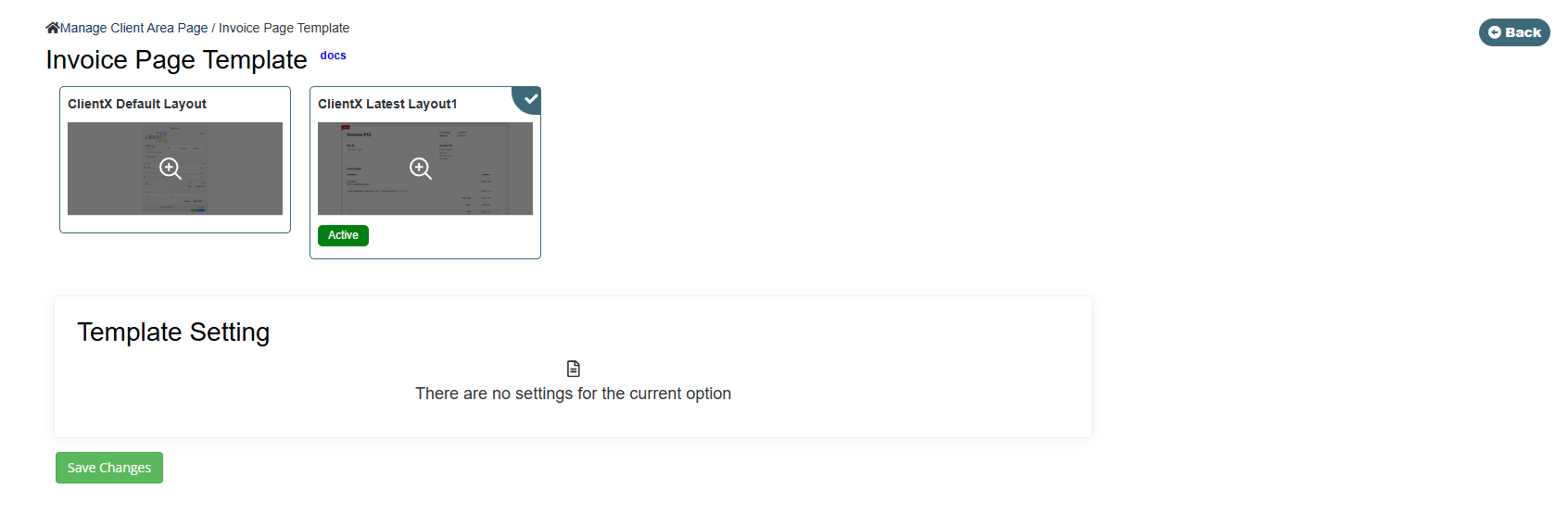
You will be redirected to the Invoice Page Template screen.
Available Invoice Page Layout Options
On the Invoice Page Template screen, you will find the following layout options:
-
Default Layout
-
Latest Layout 1
Select your preferred layout and click Save Changes to apply it.
Default Layout
-
When the Default Layout option is selected, the invoice page will appear on the frontend as shown below.
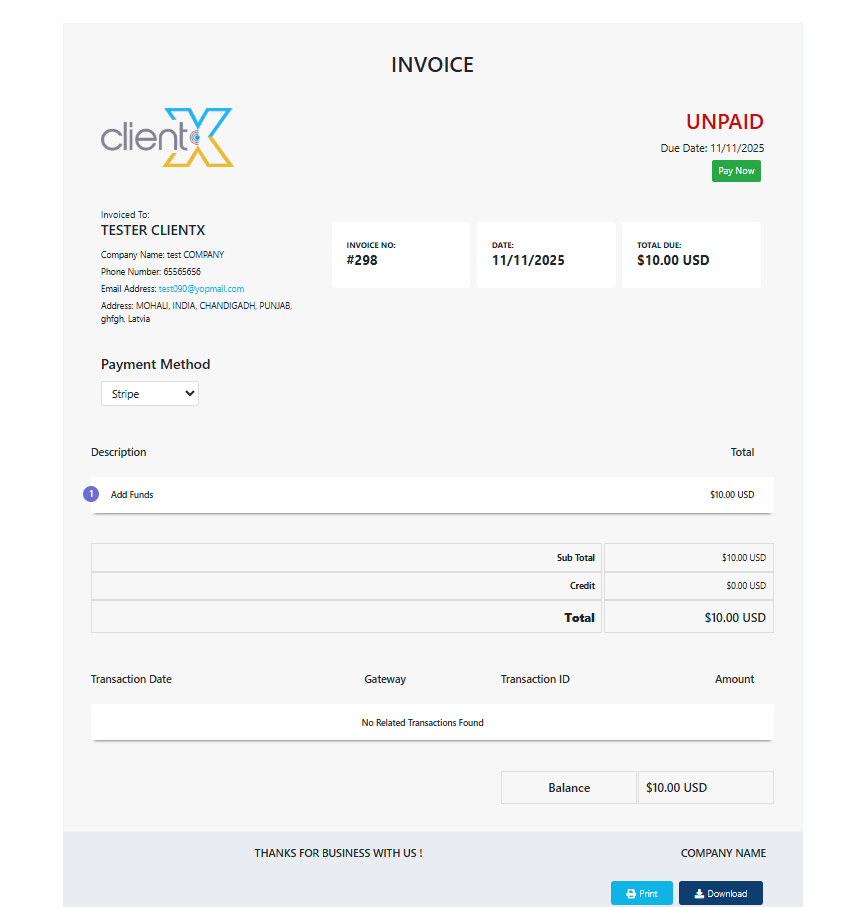
This layout follows the standard invoice structure with ClientX styling applied.
Latest Layout 1
-
When Latest Layout 1 is selected, the invoice page will display a modernized layout with enhanced spacing and improved visual presentation.
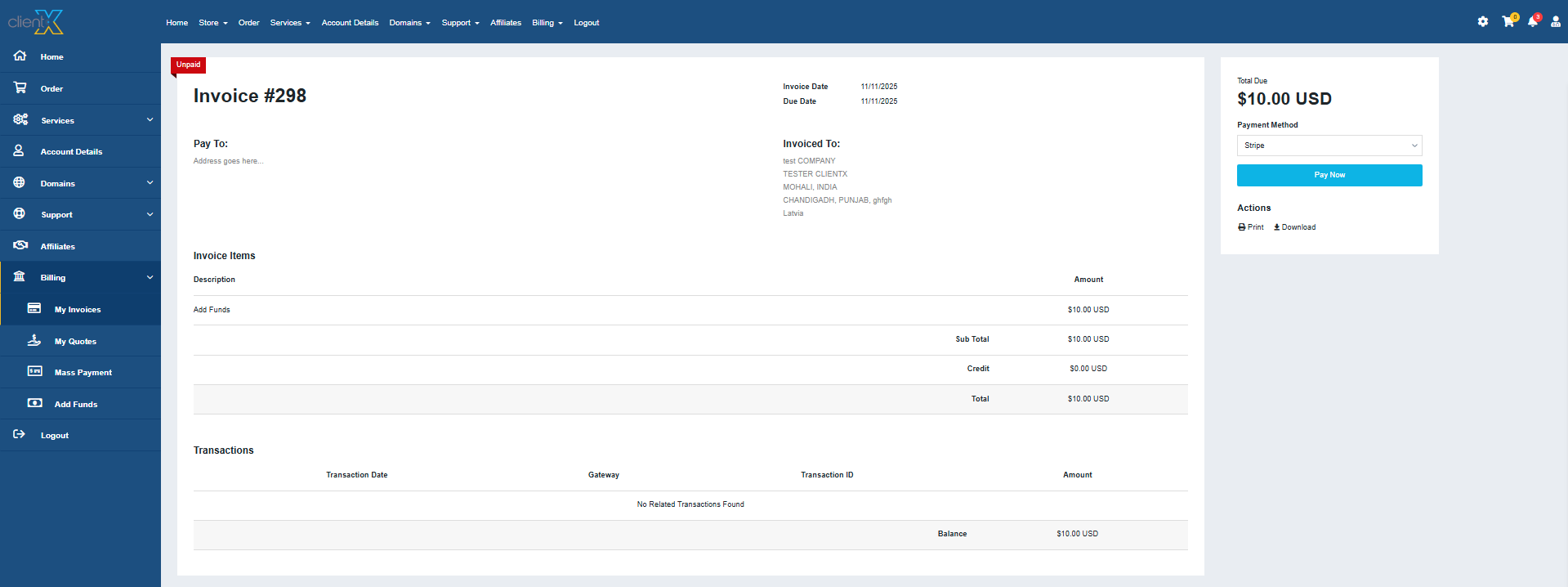
This layout is recommended for a cleaner and more contemporary invoice experience.
