
WGS ClientX – Client Area & Support Department Settings Guide
Before configuring any of the options below, follow these steps once:
-
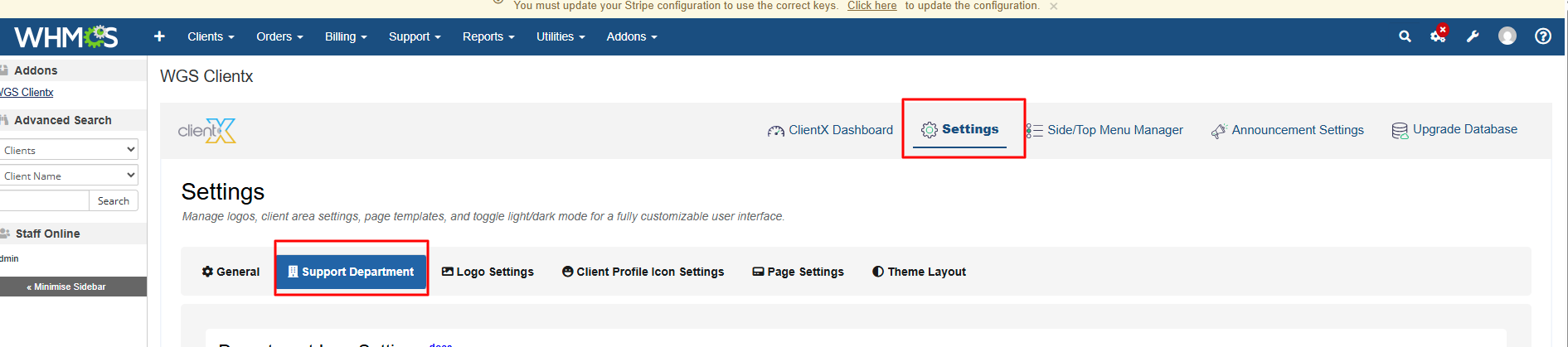
Log in to your WHMCS Admin Panel.
-
Navigate to Addons > WGS ClientX > Settings.
-
Click Settings to open the Support Department tab.
How to Configure Support Department Logos
NOTE: To upload a department logo, please make sure the department is already created. To create the department go to support departments in the system settings. Once the department name exists, then you can upload the logo.
In the Support Department tab, you will see two department types:
-
General Department
-
Technical Department
You can upload a separate logo for each department.
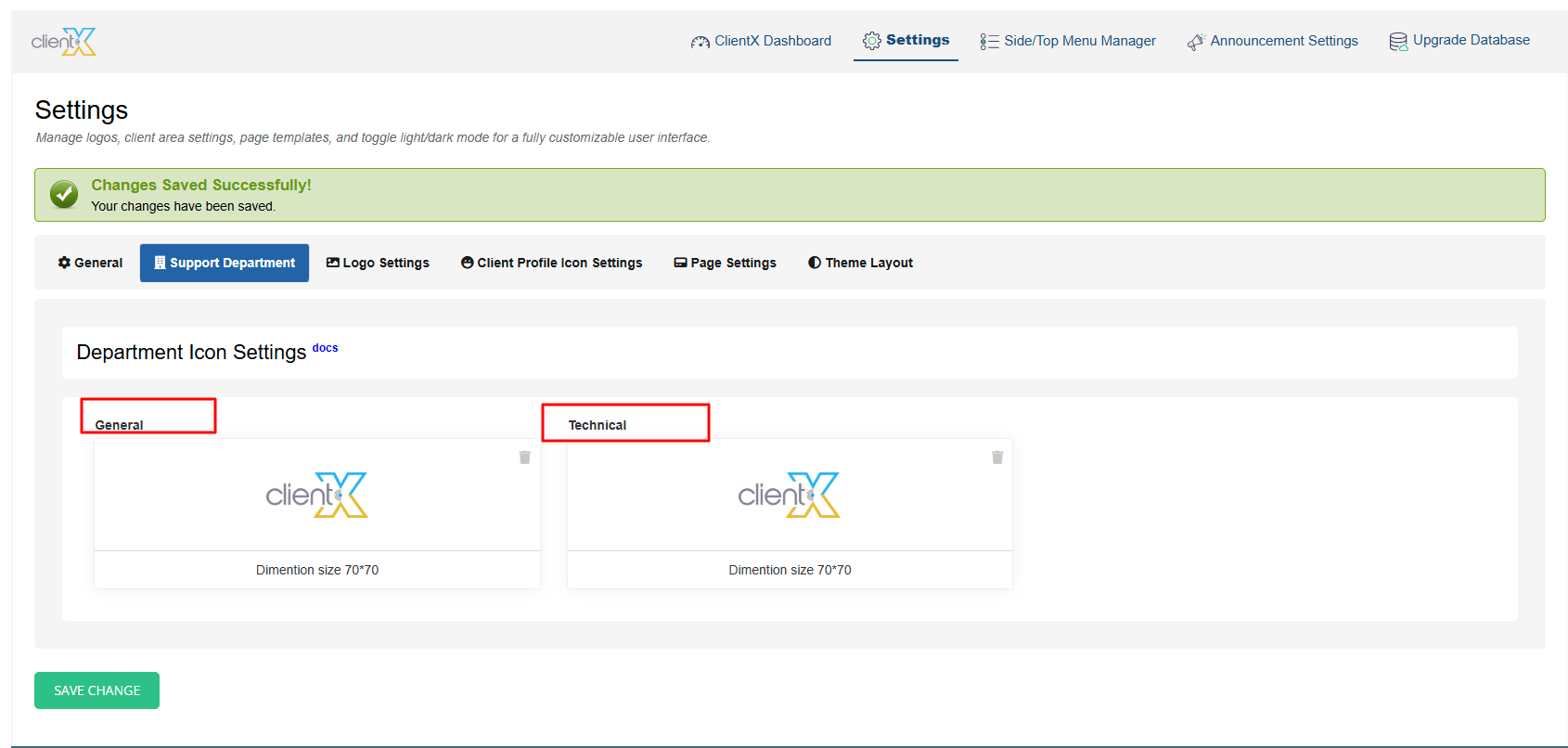
After saving the changes, navigate to the Submit-Ticket page in the Client Area. The updated department logos will be displayed according to the selected department.
