
Yes, you can easily remove the phone number from your site's header.
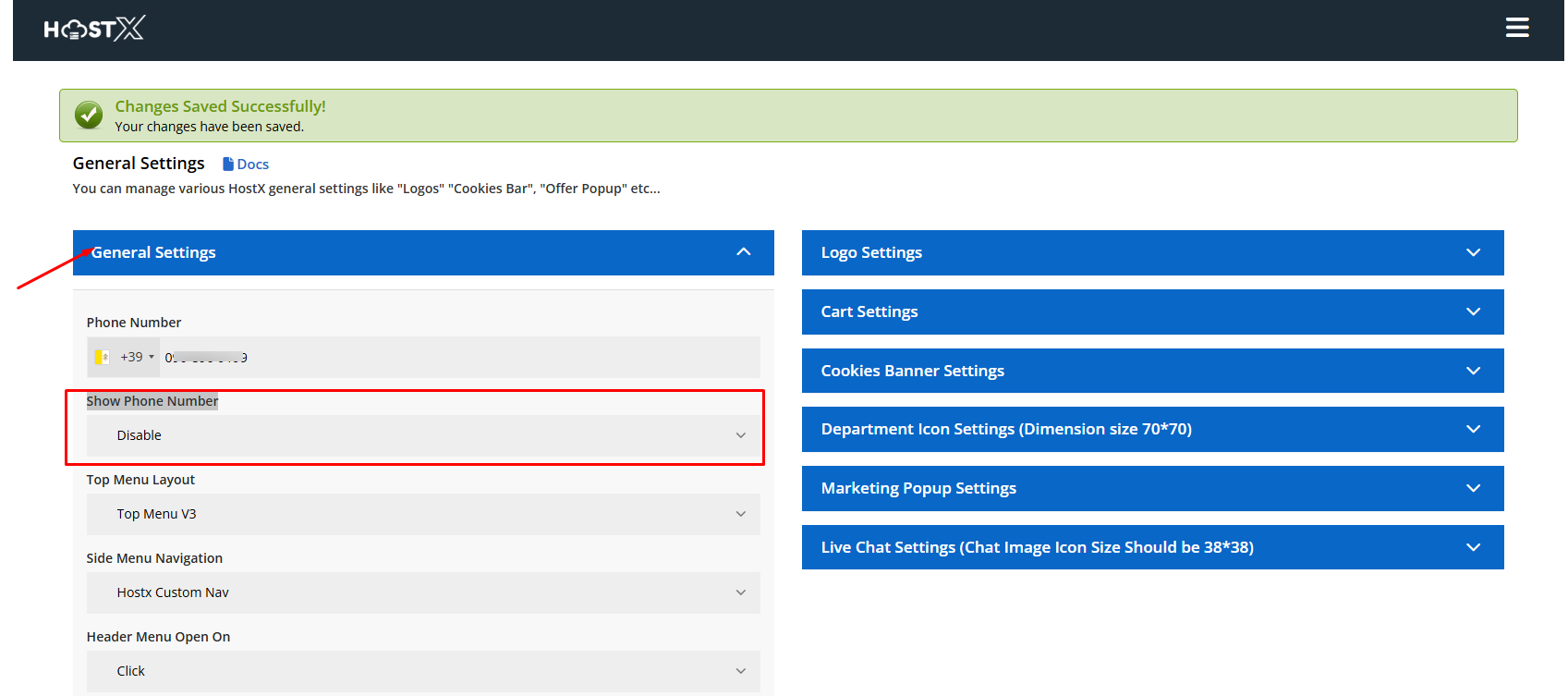
In the HostX General Settings, there is a Show Phone Number option that allows you to enable or disable the phone number displayed in the header.
To remove the phone number:
- Go to Addons → HostX → General Settings.
- Locate the Show Phone Number option.
- Disable the option.
- Save your changes.
Setting Screenshot
For a detailed overview of all available General Settings, please refer to the following knowledge base article:
How to Change General Settings
For the phone number setting, please refer to Point 1 in the article.
