
To integrate the same main website header and footer into the HostX WHMCS theme, some customization is required. Follow the steps below to replace the default HostX header and footer with your main website's design.
Header Integration
Step 1: Create the Custom Header File
Create a new file named:
custom-header.tpl
Place the file in:
\whmcs_dir\templates\hostx-child\hostx_others_file
Step 2: Edit the HostX Header File
Open the following file:
\whmcs_dir\templates\hostx-child\hostx_menus\hostx-headers.tpl
Step 3: Update the Header Condition
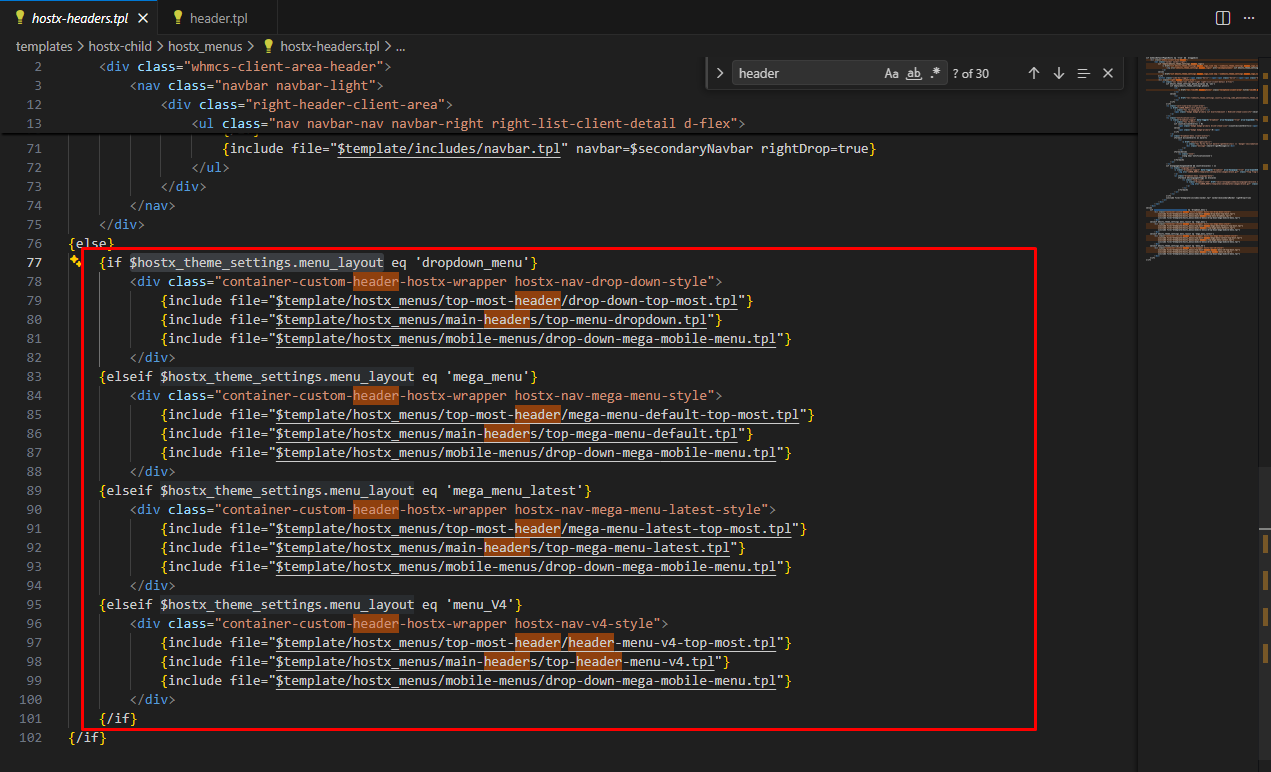
Remove all $hostx_theme_settings.menu_layout lines from the else condition in the hostx-headers.tpl file.
For reference:
Step 4: Include the Custom Header
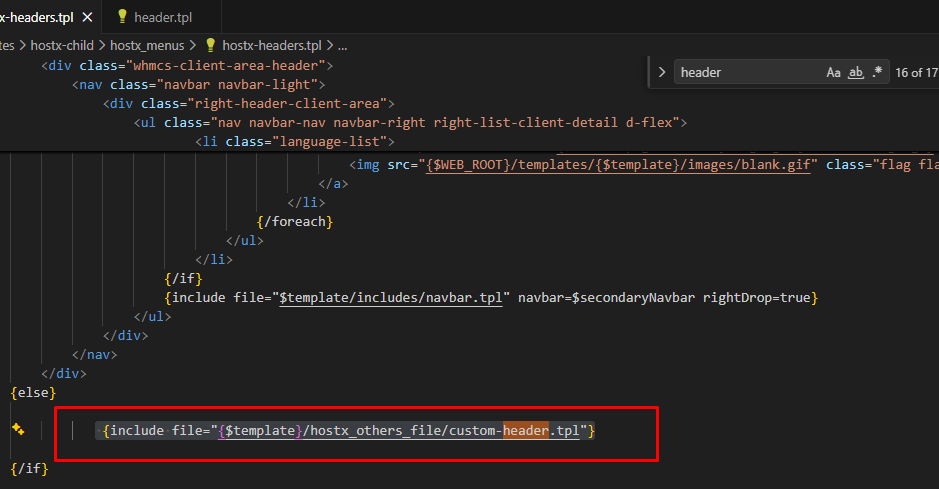
Add the required code to the hostx-headers.tpl file to include the newly created custom-header.tpl file.
For reference:
The custom-header.tpl file should contain the HTML structure required for your main website header.
Footer Integration
Step 1: Open the HostX Footer Directory
Using FTP or your preferred file manager, navigate to:
whmcs_dir/templates/hostx-child/blocks
Step 2: Identify the Footer File
Depending on the footer configuration being used by your HostX theme, edit either:
footer_block_latest.tpl
or
footer_block.tpl
Step 3: Replace the Existing Footer
Remove the existing footer code from the selected file and add the main website's footer HTML.
Make sure the footer follows the same footer tag structure and HTML hierarchy required by the HostX theme.
For reference:

Additional Customization
After completing the header and footer integration, you will also need to add the required files and resources from your main website, including:
-
Header HTML
-
Footer HTML
-
Required CSS files
-
Required JavaScript files
-
Images, fonts, and other associated assets
-
Any additional dependencies required for the header and footer functionality
This ensures that the integrated header and footer match the appearance and functionality of the main website.
Important Note
This integration requires theme customization and may require additional adjustments depending on the existing HostX theme structure, HTML markup, CSS, JavaScript, and other styling requirements.
Before making any changes, it is recommended to create a backup of the affected template files.
