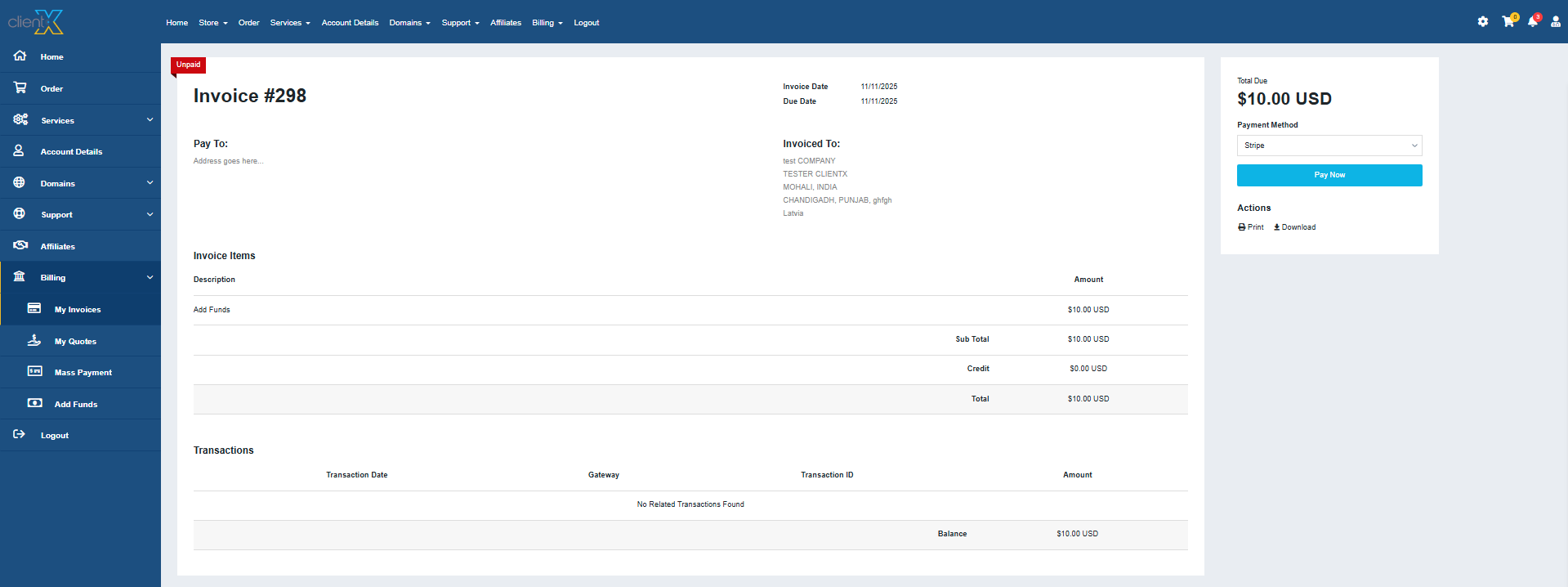
WGS ClientX – Client Area & Invoice Settings Guide
How to Change the Layout of the Invoice Page
ClientX allows you to easily switch between multiple invoice page layouts to control how invoices are presented in the client area.
Accessing Invoice Page Settings
Before modifying the invoice layout, follow these steps:
-
Log in to your WHMCS Admin Panel.
-
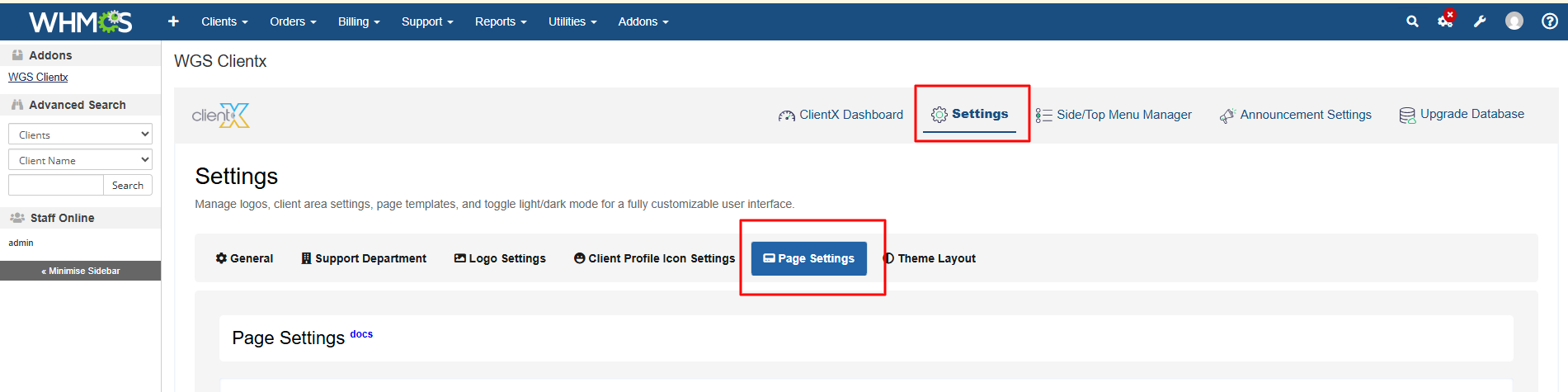
Navigate to Addons > WGS ClientX > Settings.
-
Click Settings and open the Page Settings tab.
Managing Invoice Page Layout
-
Under the Page Settings tab, locate the Invoice section.
-
Click the Manage button.
-
You will be redirected to the Invoice Page Template screen.
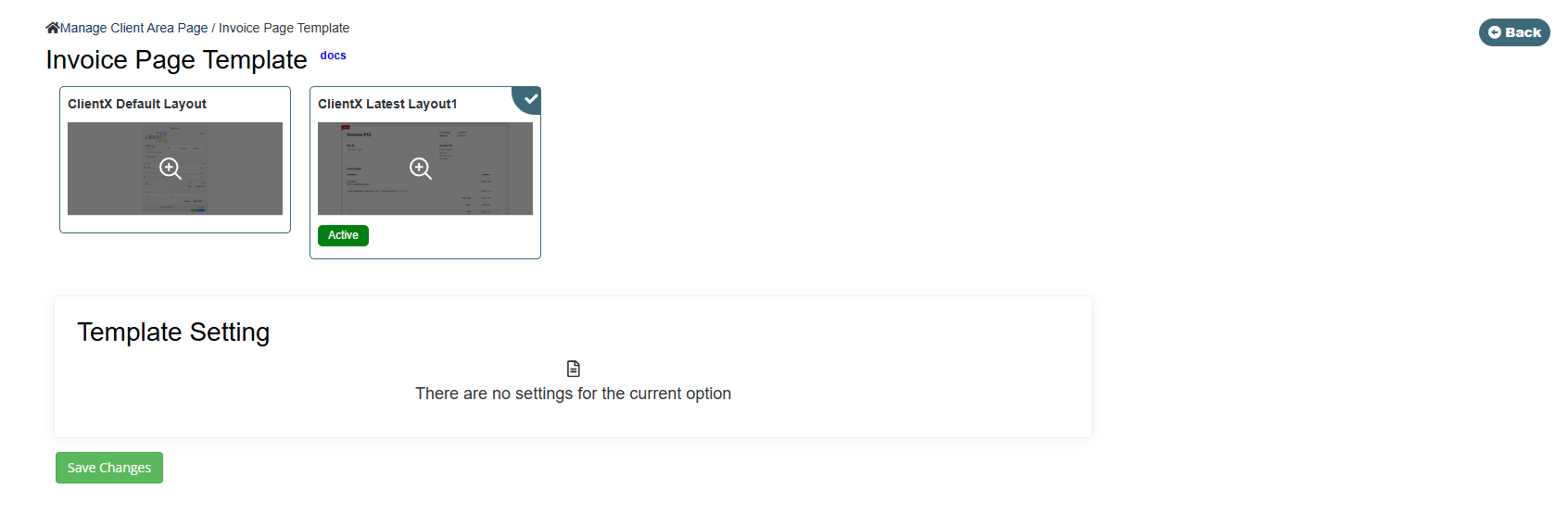
Available Invoice Page Layout Options
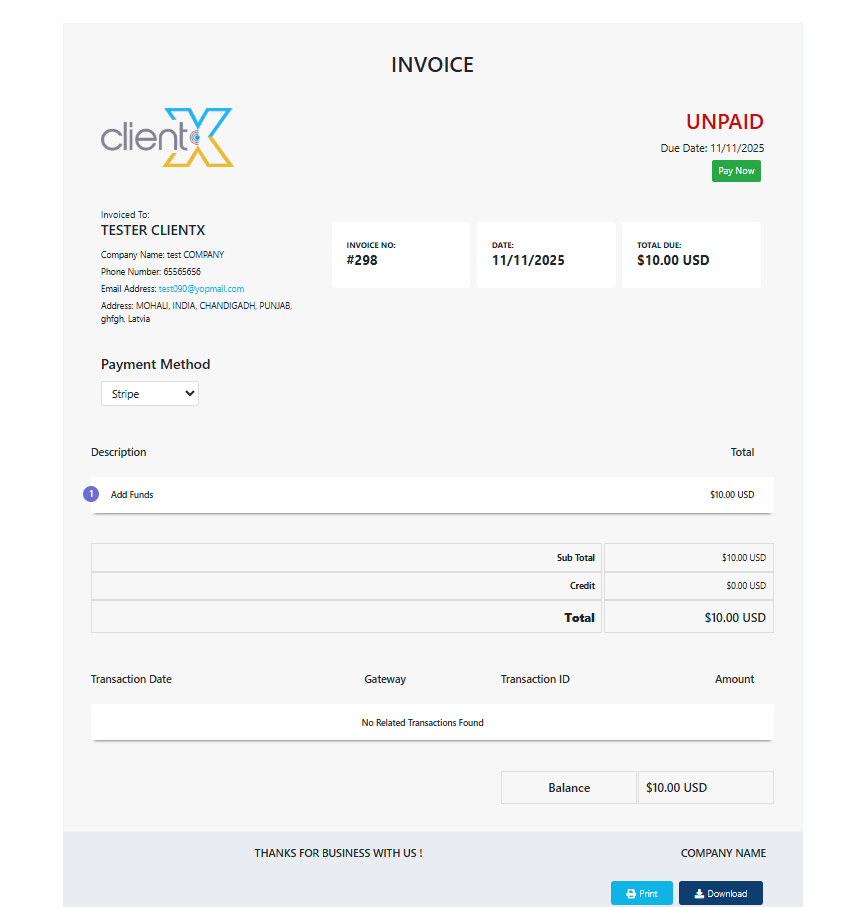
Latest Layout 1 – Shows a modern, cleaner invoice layout with improved spacing and presentation.