
Step1: Login to Blesta Admin
Step2: You can see the Clientx menu in the staff navigation.
Step3: Now you are in Clientx Plugin
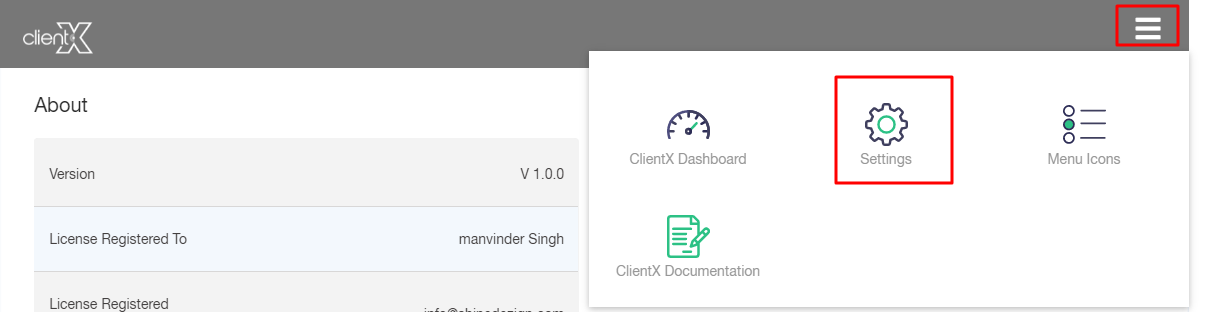
Step4:Click On Right Side Menu
Step5: Now Click On Setting
How to change Logo Settings?
In order to change the design of your webpage logo, click on the Logo Settings panel
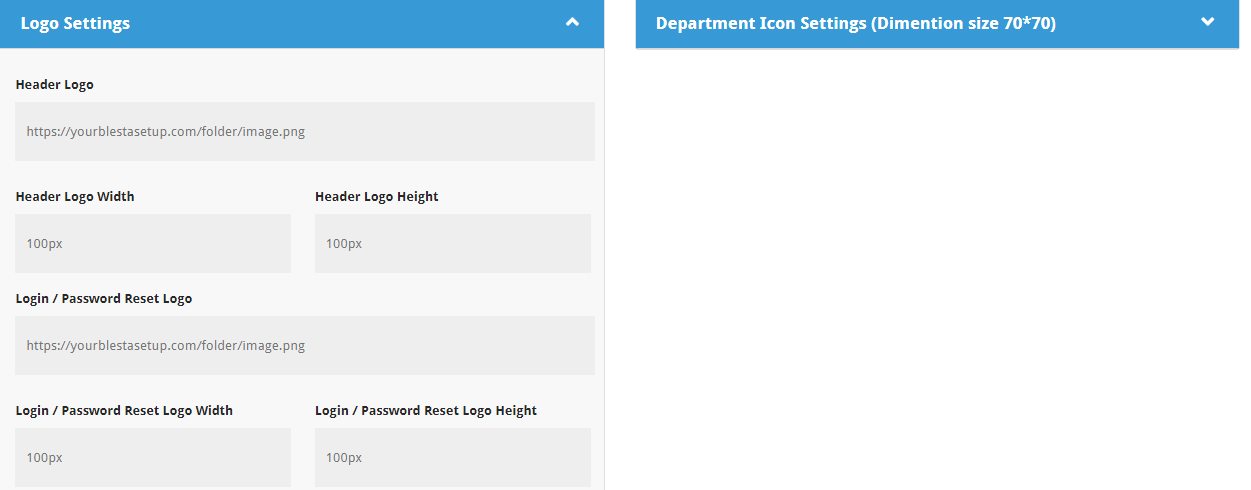
1.Header Logo:
Enter the URL of your brand logo here.

3. Header Logo Width and Height:
In case if the entered brand logo size is large or small, you can define the desired length and width in pixels through this option.

4. Login/ Password Reset Logo:
Here enter a link for your login/password reset logo where you want to redirect your client by clicking on the reset logo.

5.Login/ Password Reset Logo Width and Height:
In case if the entered logo size is large or small, you can define the desired length and width in pixels through this option.
Note: After all the customization click on the Save option.
