
Step 1: Login to the WHMCS backend admin.
Step 2: Go to Add-ons-> WGS HostX
Step 3: Go to the sidebar and select Page Manager.
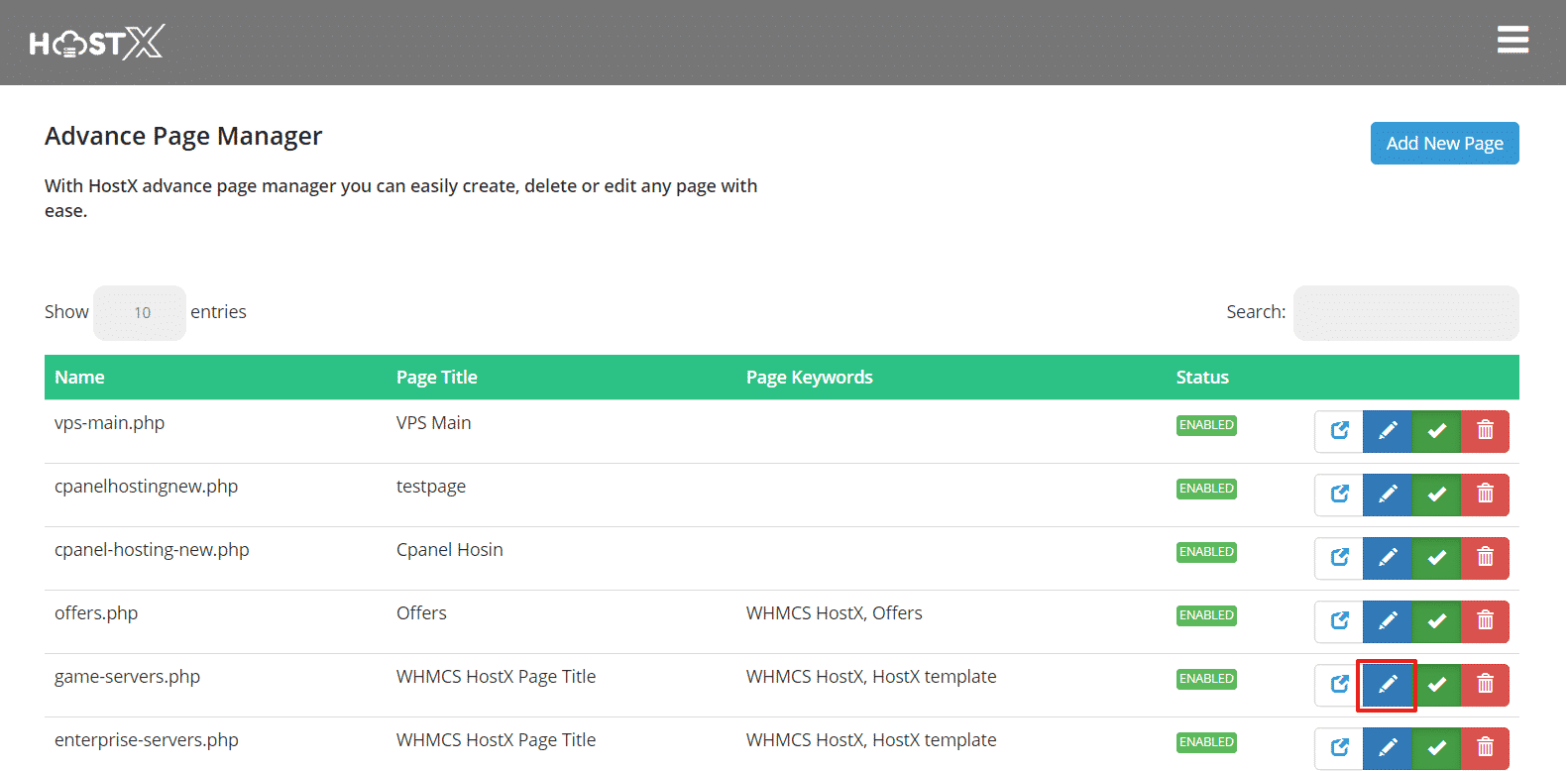
Step 4: Edit the page in which you need to assign the block.
Step 5: Drag the Block from the "All Blocks" and Drop to "Assigned Blocks" Section
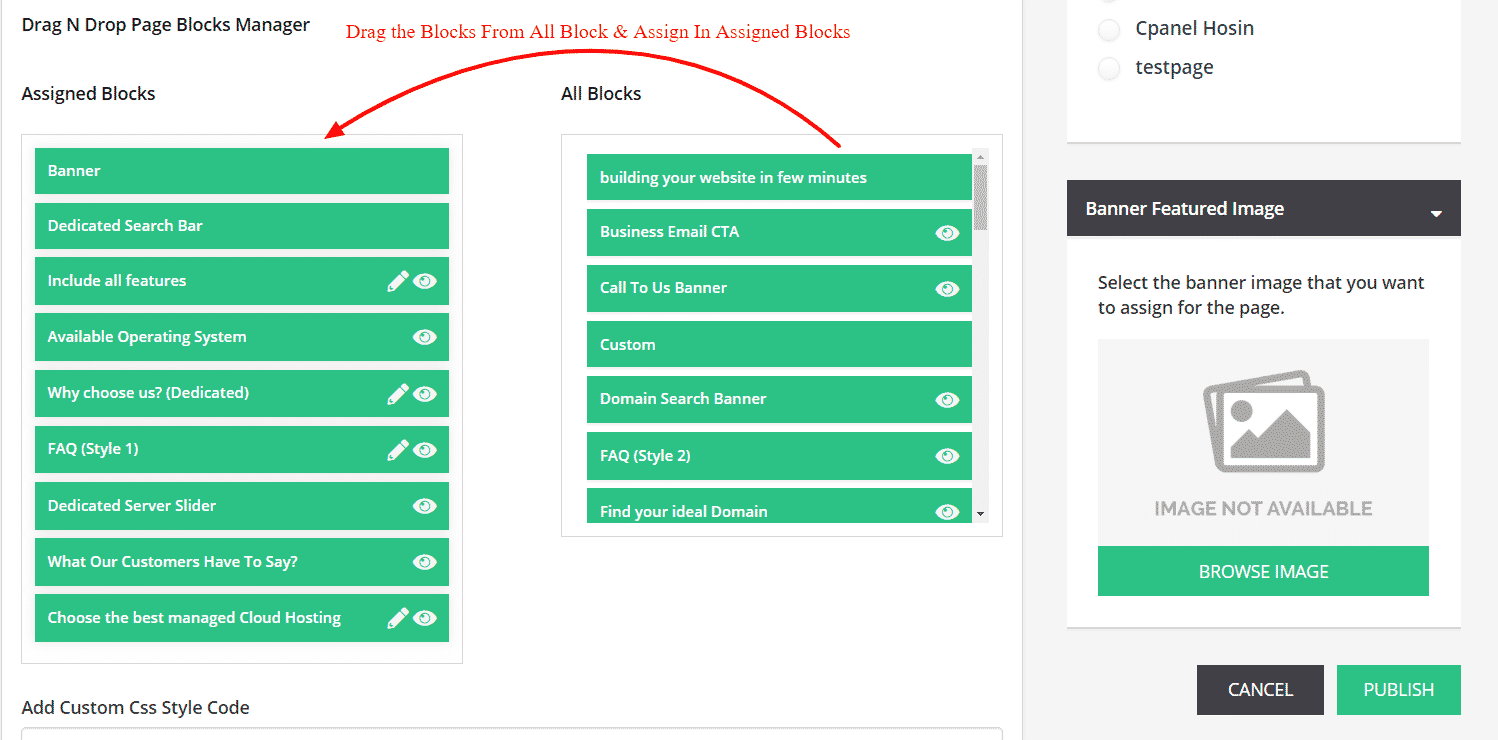
This will add that block into the page.
