Step 1: Login to the WHMCS backend admin.
Step 2: Go to Add-ons-> WGS HostX.
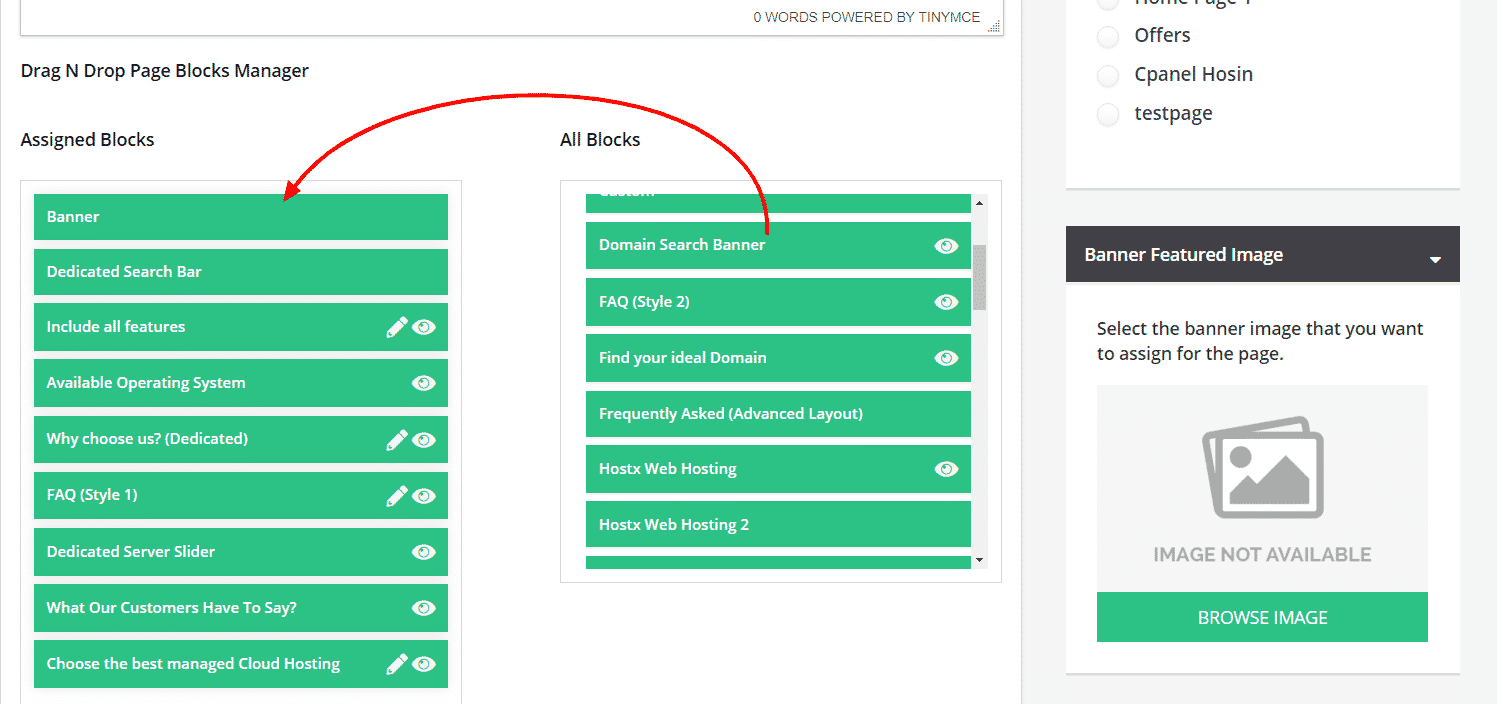
Step 3: Go to the sidebar and Select Page Manager.
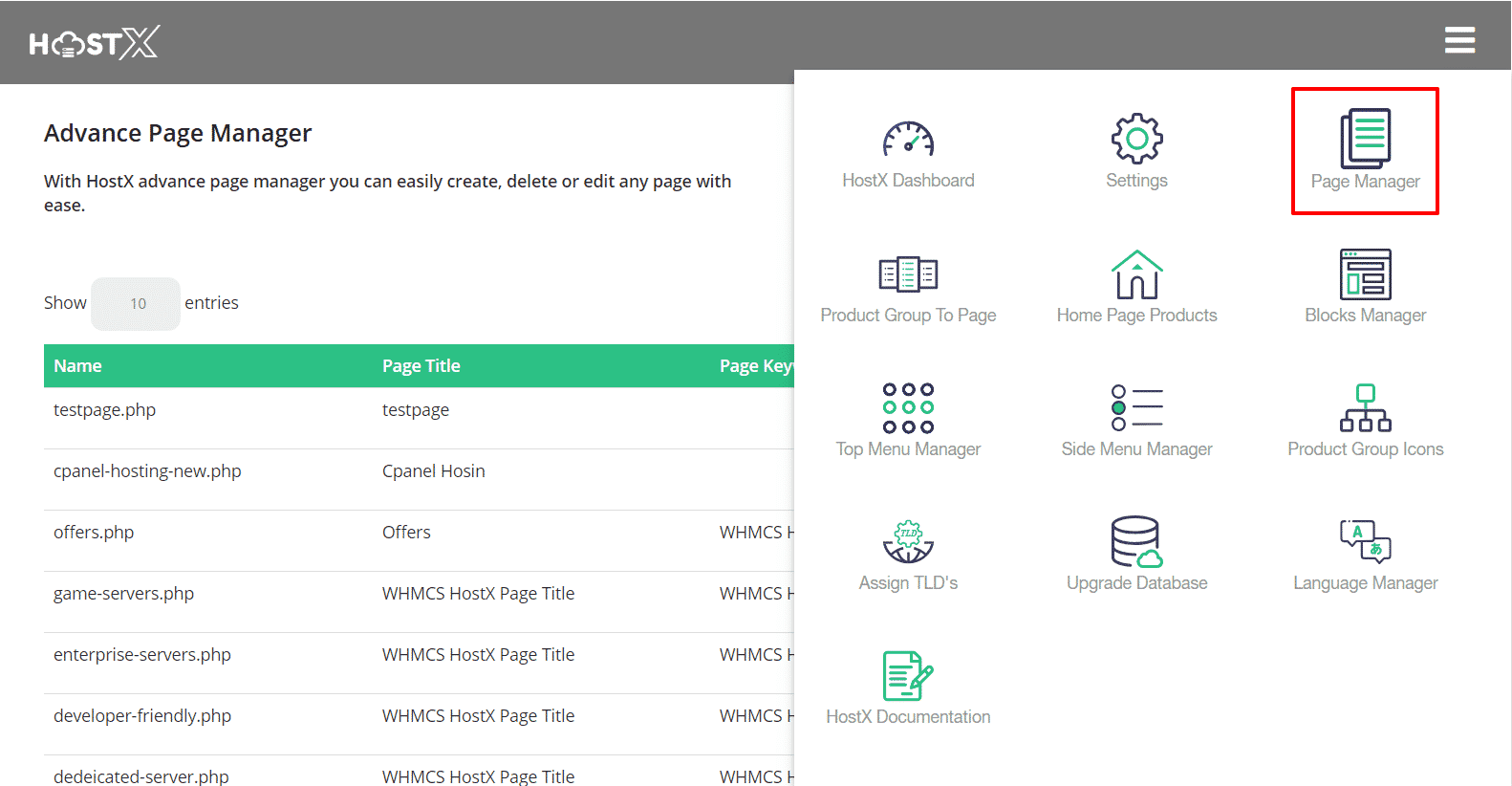
Step 4: Edit the web hosting page in which you want to add the domain search section block.
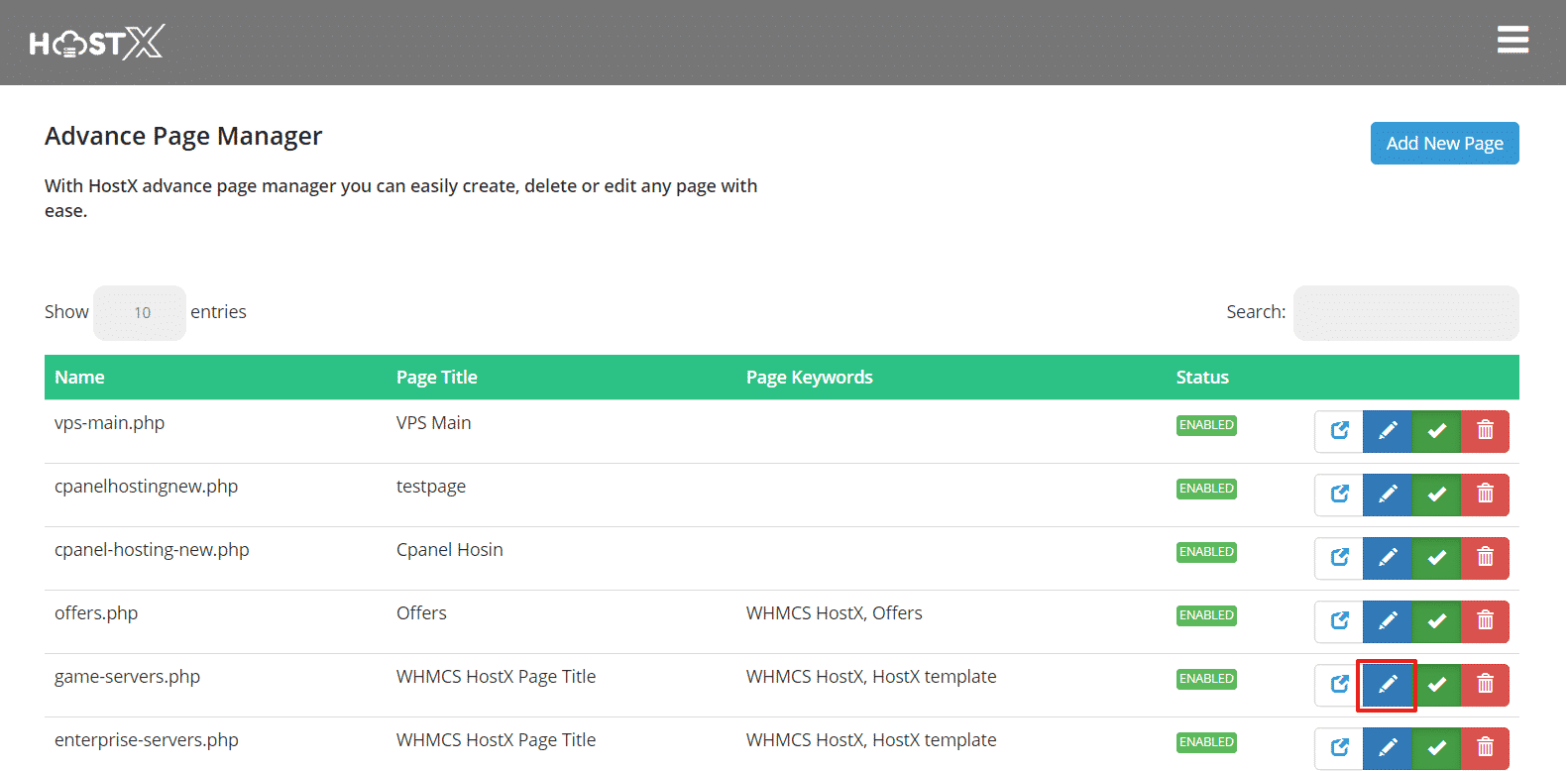
Step 5: Now, you need to Drag the "Domain Search Banner" from the All Blocks Section & Drop to "Assigned Blocks Section". You can also move the block position up and down as per your requirement.