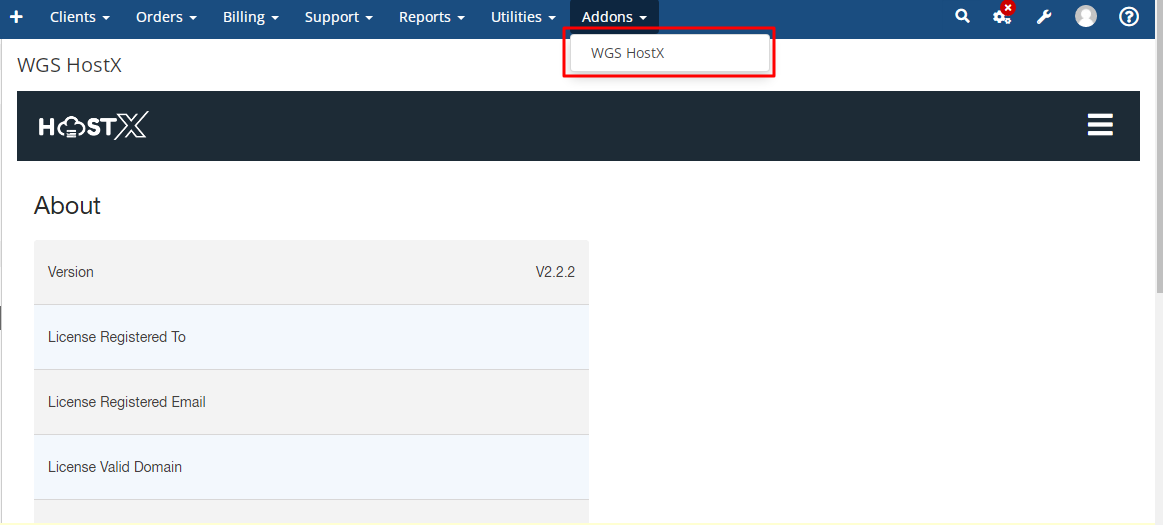
Step 1: Log in to WHMCS Admin and click on WGS Hostx addon
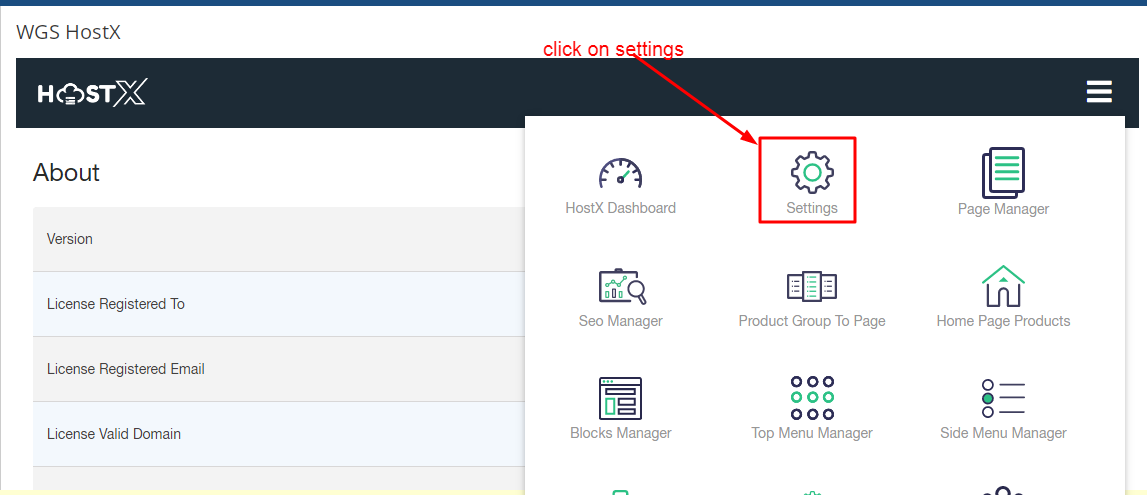
Step 2: Then click on Settings Menu
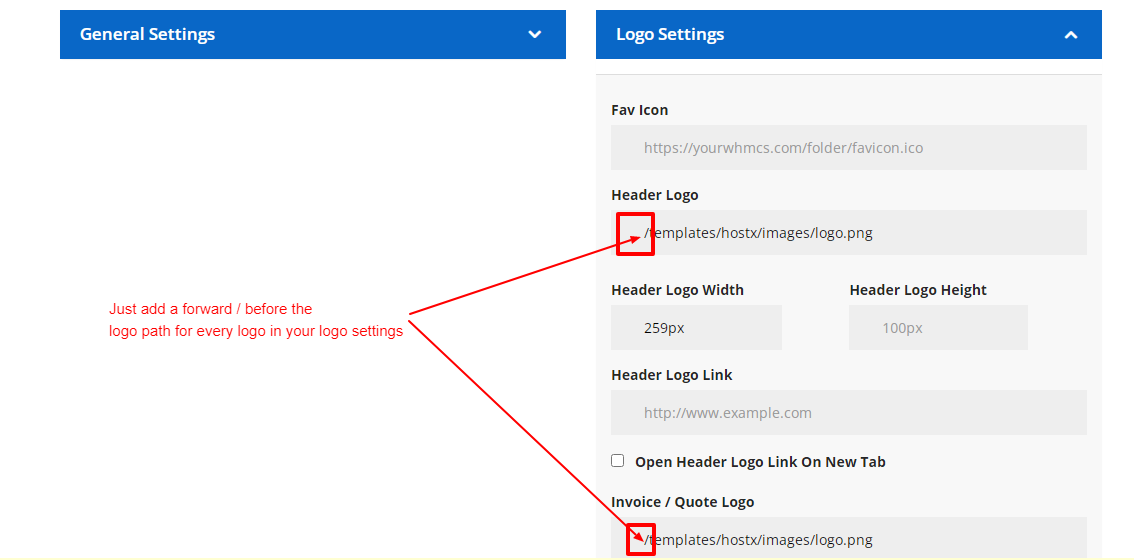
Step 3: The click on logo settings just add a forward (/) slash before every logo path as you can see in below screenshot. You have to do this because of the usage of absolute path. After that click on save changes.