
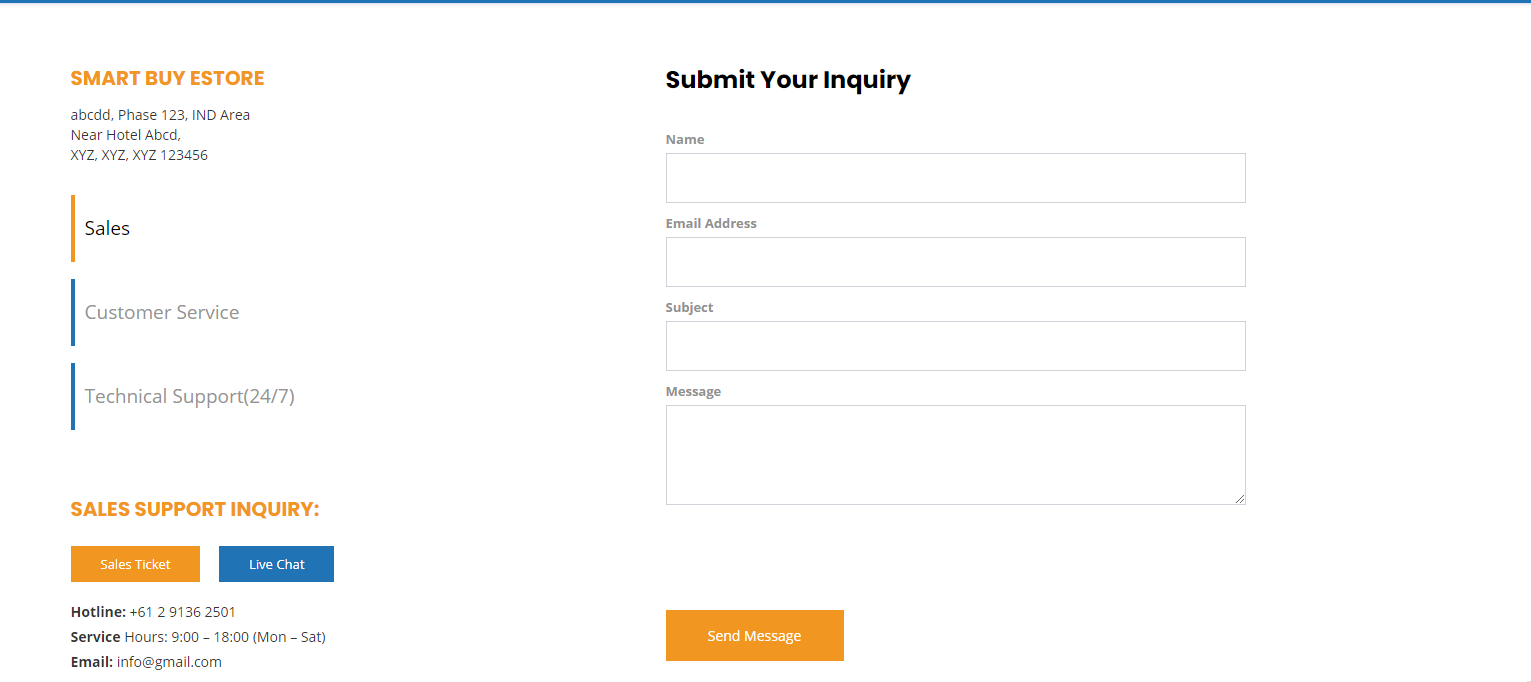
All the highlighted content can be changed directly via language files.
Step 1: Login WHMCS admin
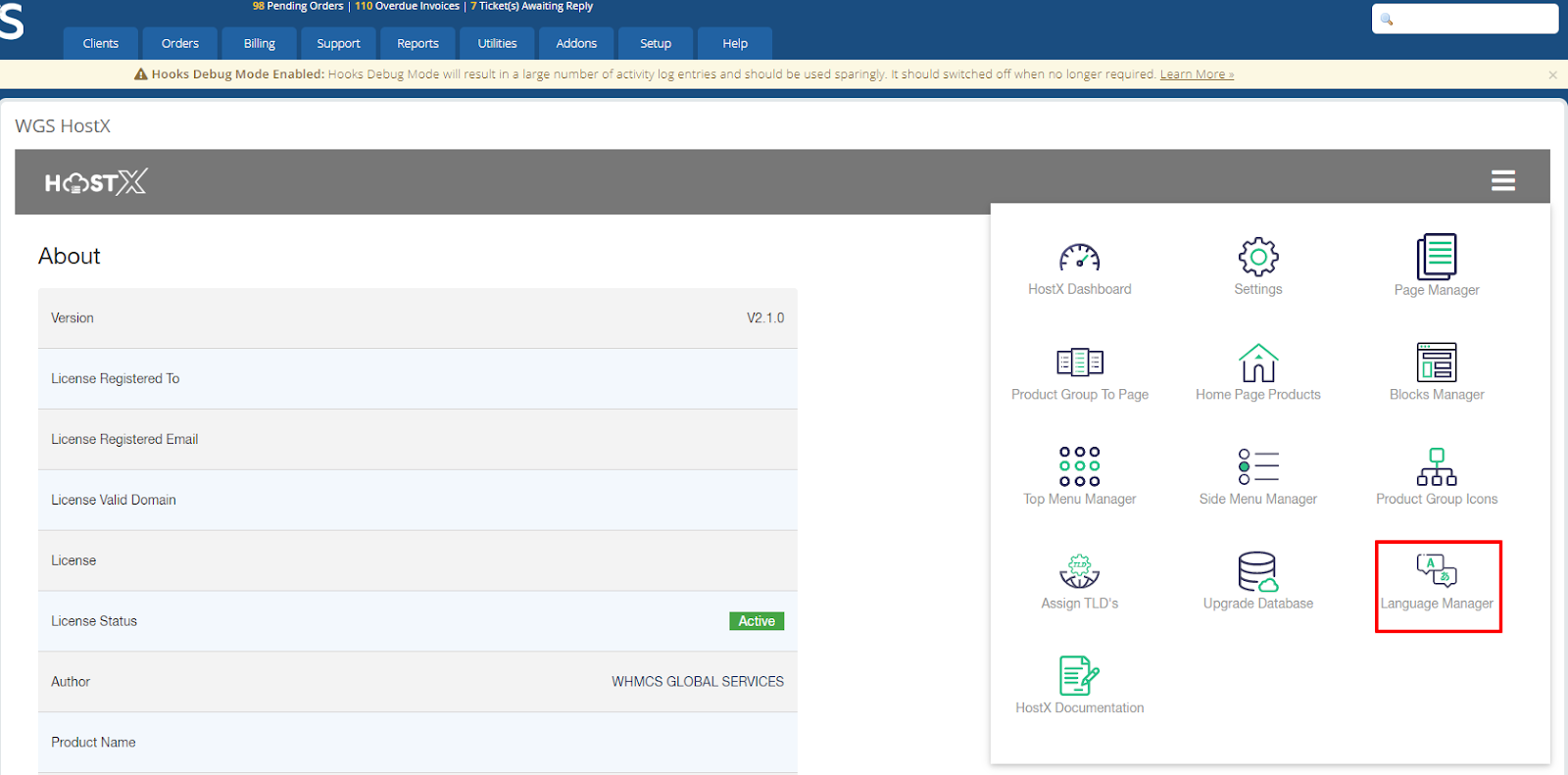
Step 2: Go to Addons > WGS HostX
Step 3: Go to the Language Manager.
Step 4: Open English.php language and find out the lang variable.
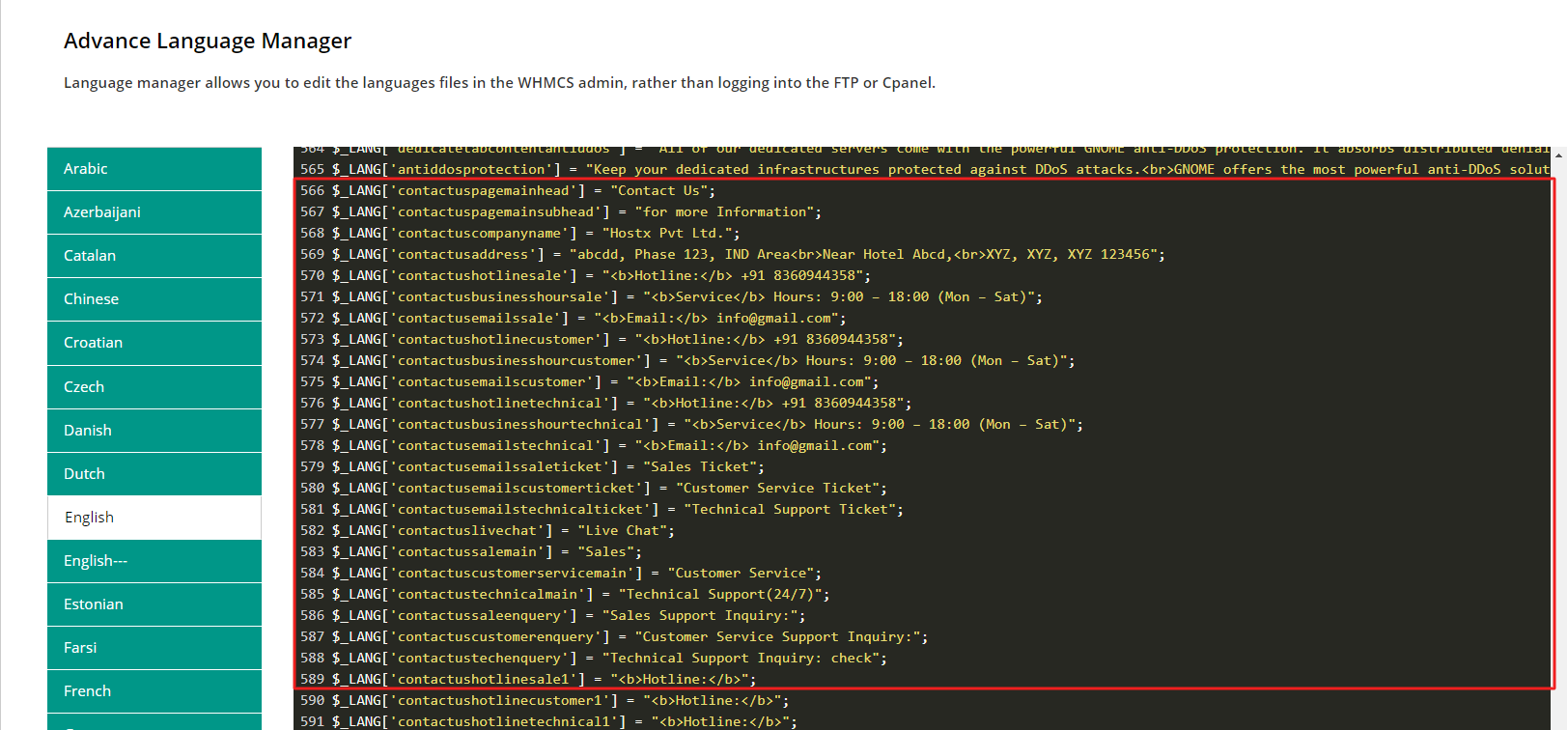
Step 5: Find the associated variable and change the texts according to your requirements.
Step 6: Save the file now.
