Step 1: Login FTP or Cpanel
Step 2: Go to /templates/hostx/testimonial_images/
Step 3. Browse and upload the desired client image with proper naming
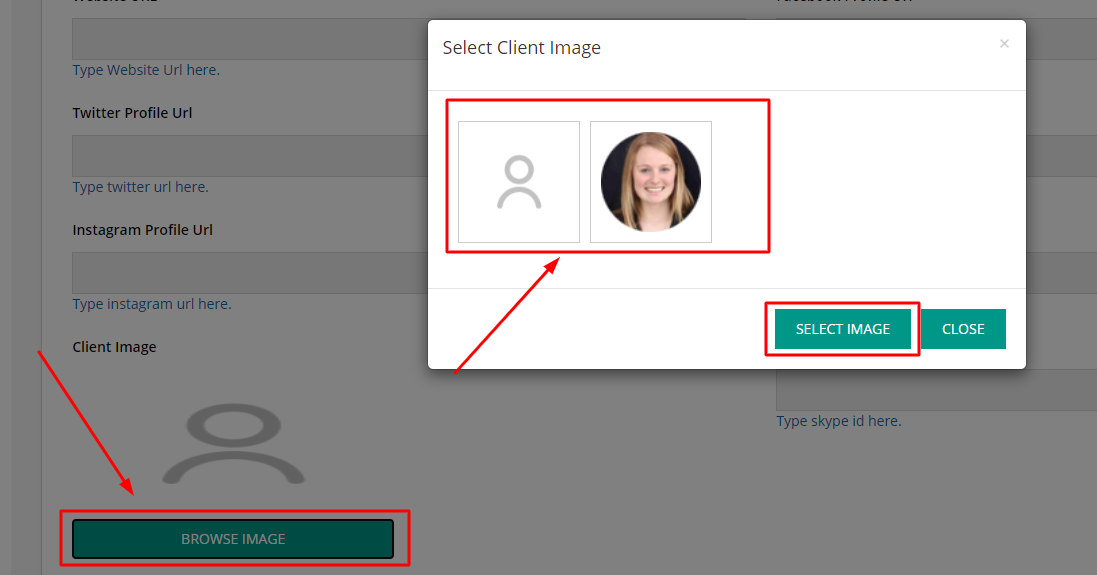
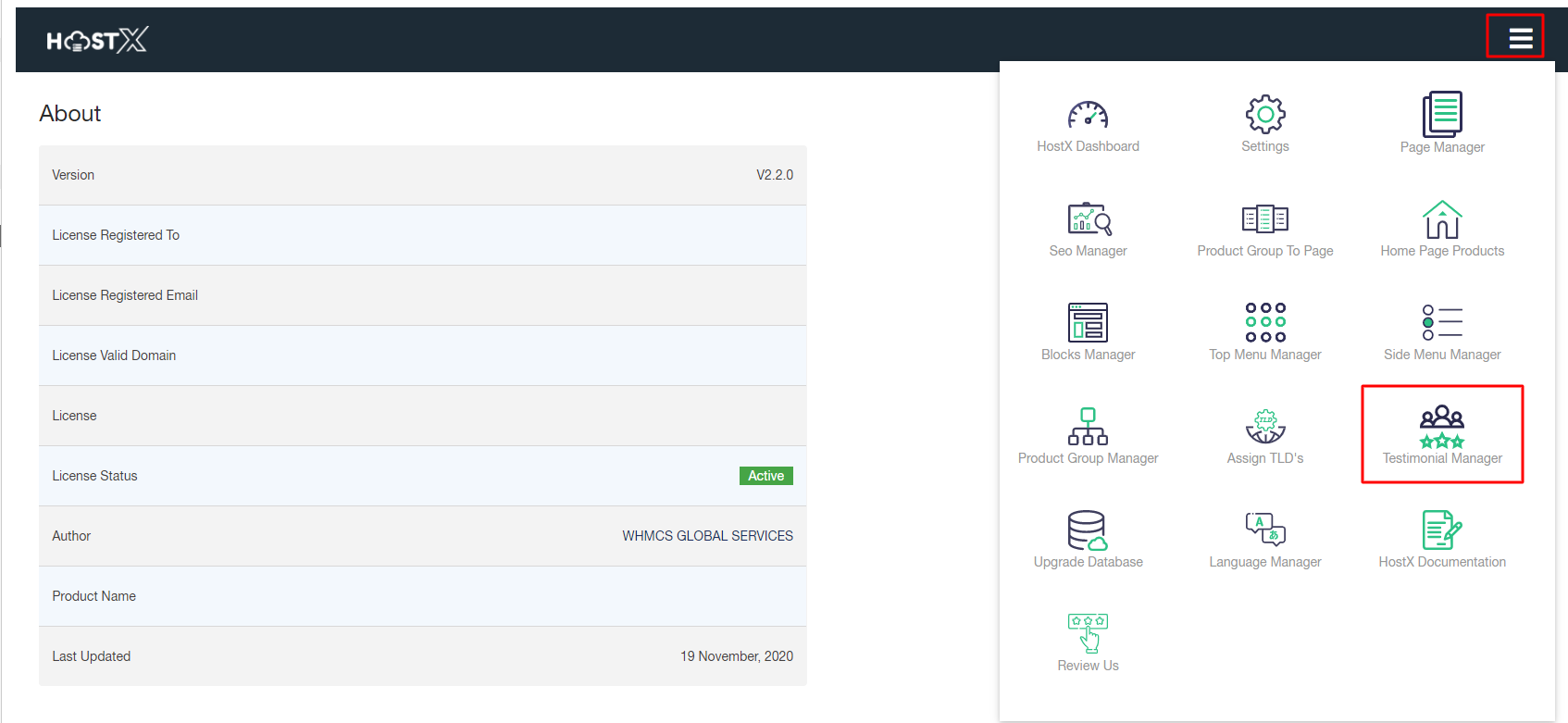
Step 4. Once done with uploading, images will start displaying in “Browse Image”. To add this image to a review, open WHMCS Admin Panel click on the hamburger menu. Select Testimonial Manager
Step 5. Check your existing reviews by clicking on the View Clients List and add image or Create New Review and add image