
To change the logo on the login page you have two options, either change it via the logo settings or via code. We will tell you both procedures in detail:
1. Via Logo Settings
1. Login WHMCS Admin
2. Go to Addons > WGS HostX

3. Select Settings
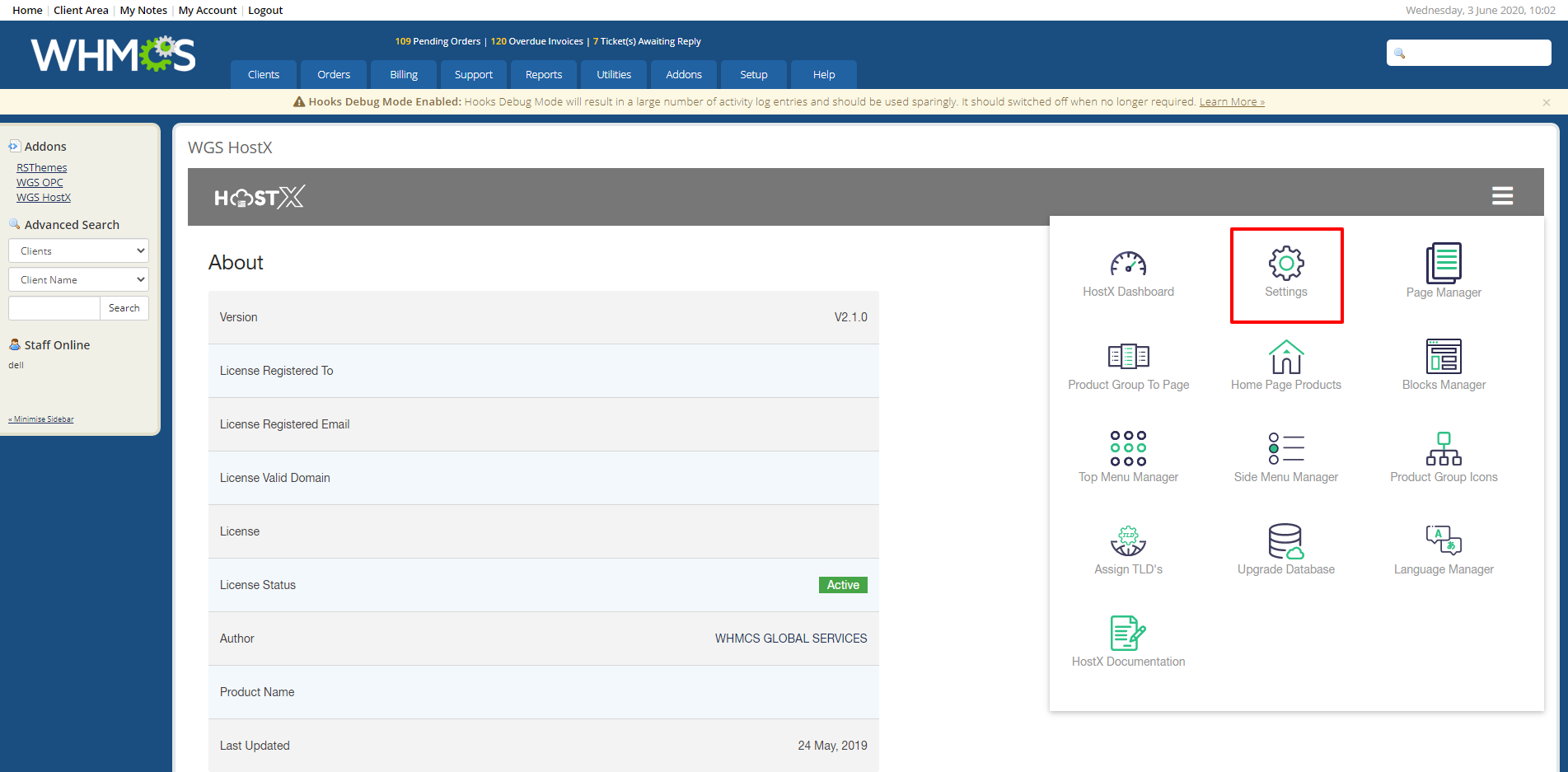
4. Expand Logo Settings Tab
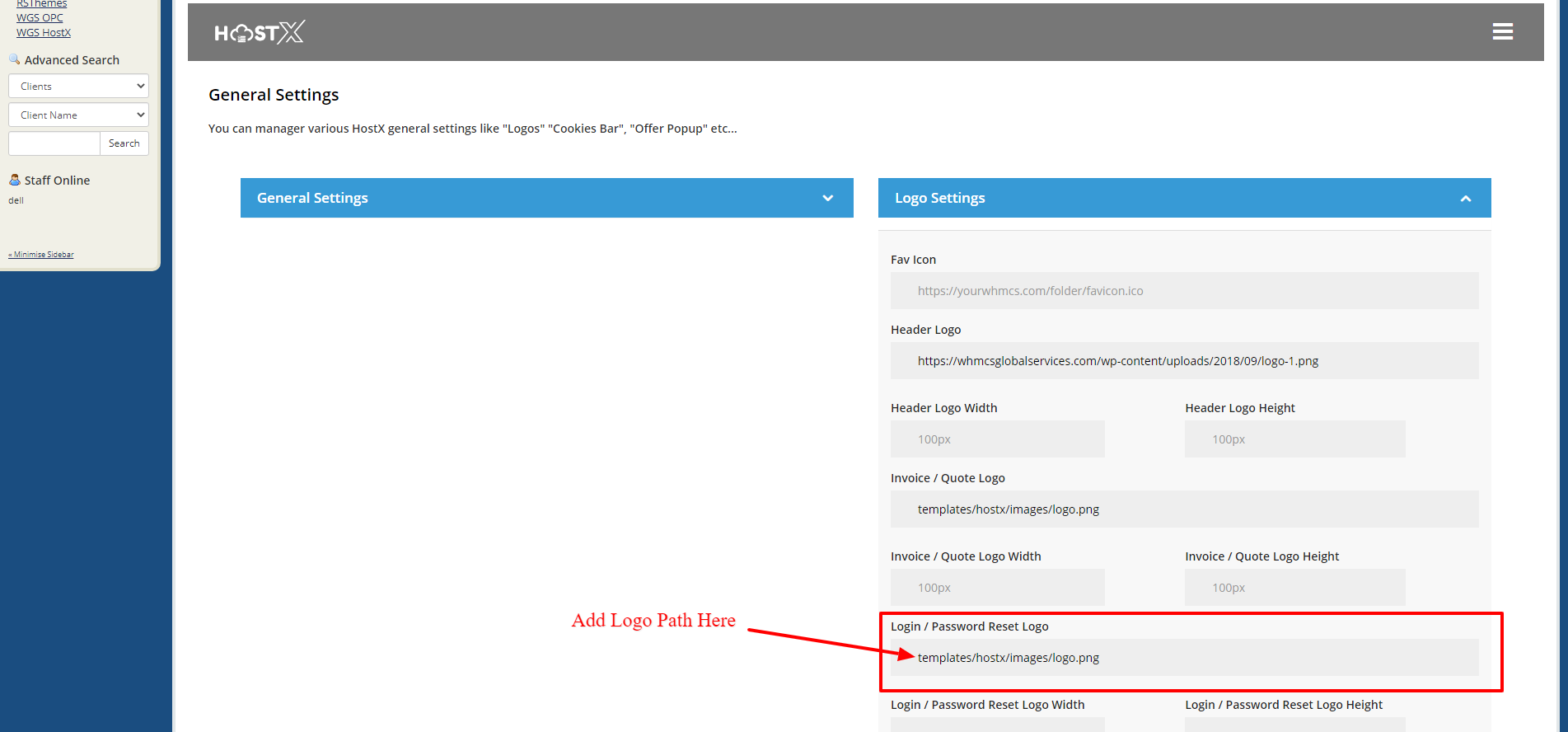
5. Enter the path of the logo as mentioned in the screenshot above and save the changes, your logo will automatically come.
2. Static Via Code
For this process you need to make sure that you have not assigned the logo with the above-mentioned process:
1. Login your FTP or Cpanel
2. Go to the following directory (whmcsdir\templates\hostx\)
3. You will find a header.tpl file here
4. Edit the file via file editor
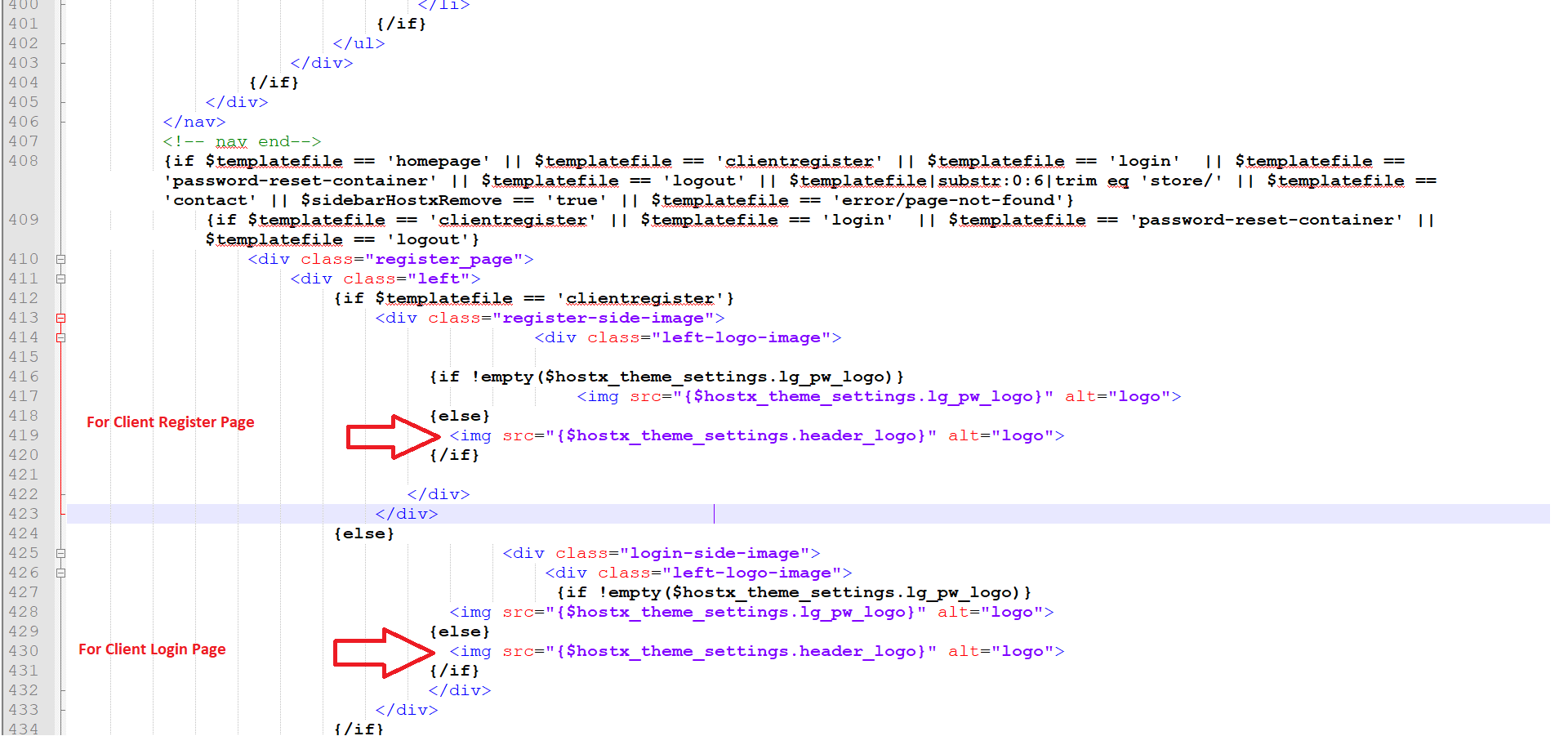
5. Replace the above-highlighted code with this.
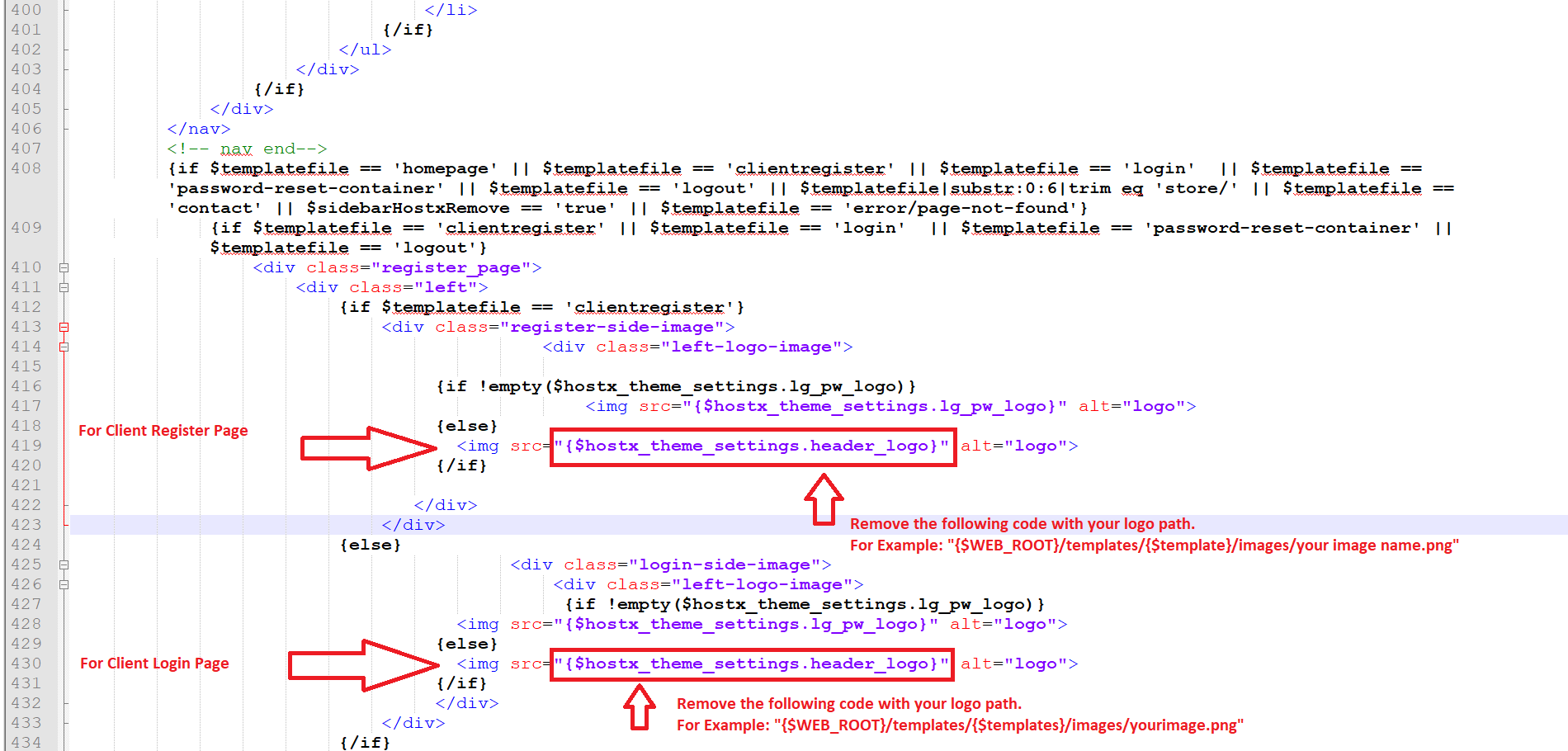
6. Save the file now and upload it.
