
Check whether you have assigned the logo URL properly in the HostX Addon.
Step 1: Login WHMCS admin
Step 2: Go to Addons > WGS HostX > Settings
Step 3: Select Logo Setting
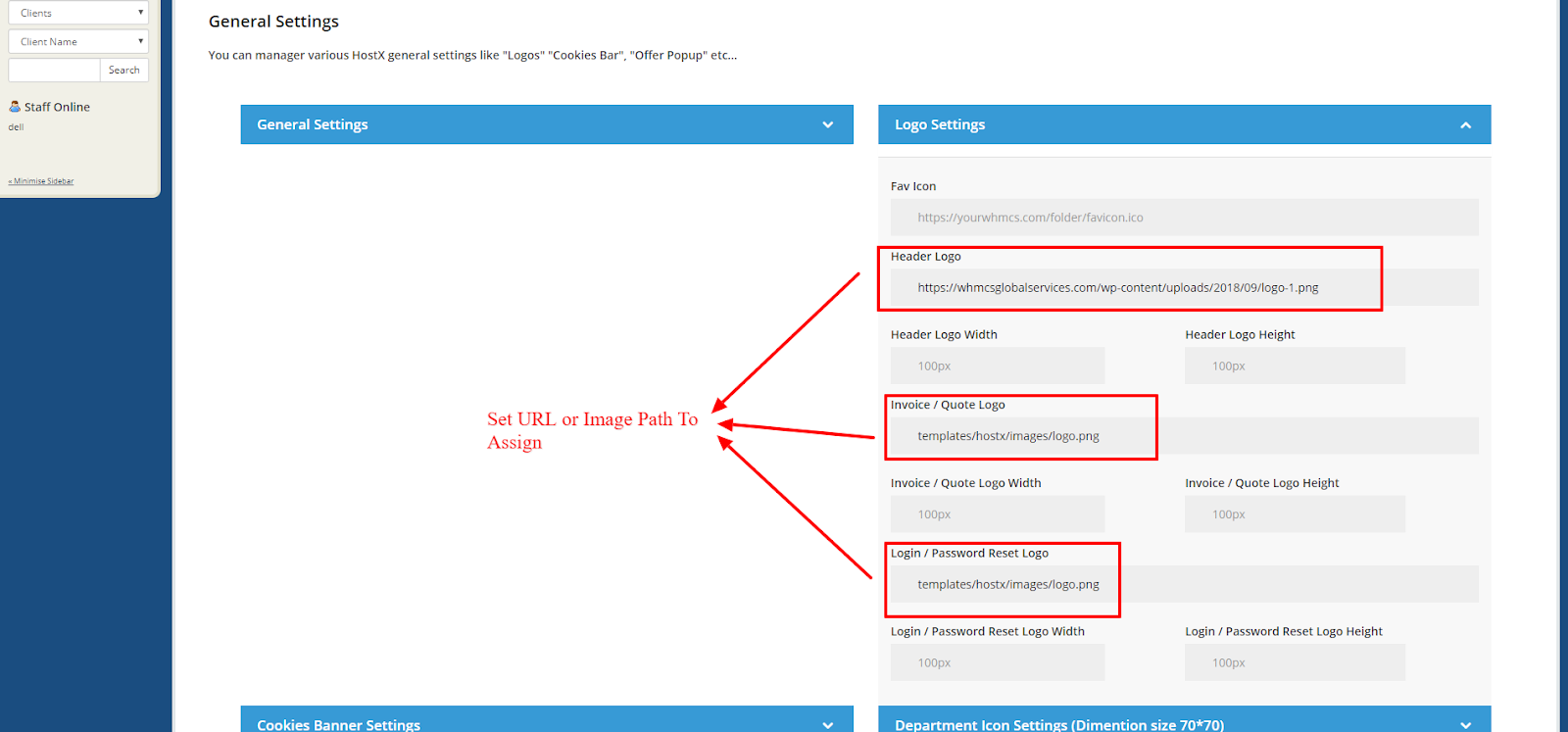
You can assign the Logo in two ways,
- Add Complete Image URL
- Upload image via FTP and add the image path
