
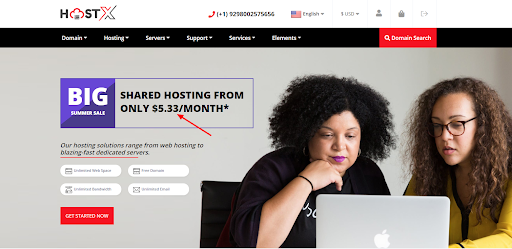
Step 1: Login FTP or Cpanel
Step 2: Go to whmcsdir/modules/addons/hostx
Step 3: Locate languageHostX.php file, download the file and take a backup after then edit the file and locate the default pricing “5.33” in the file via file editor.
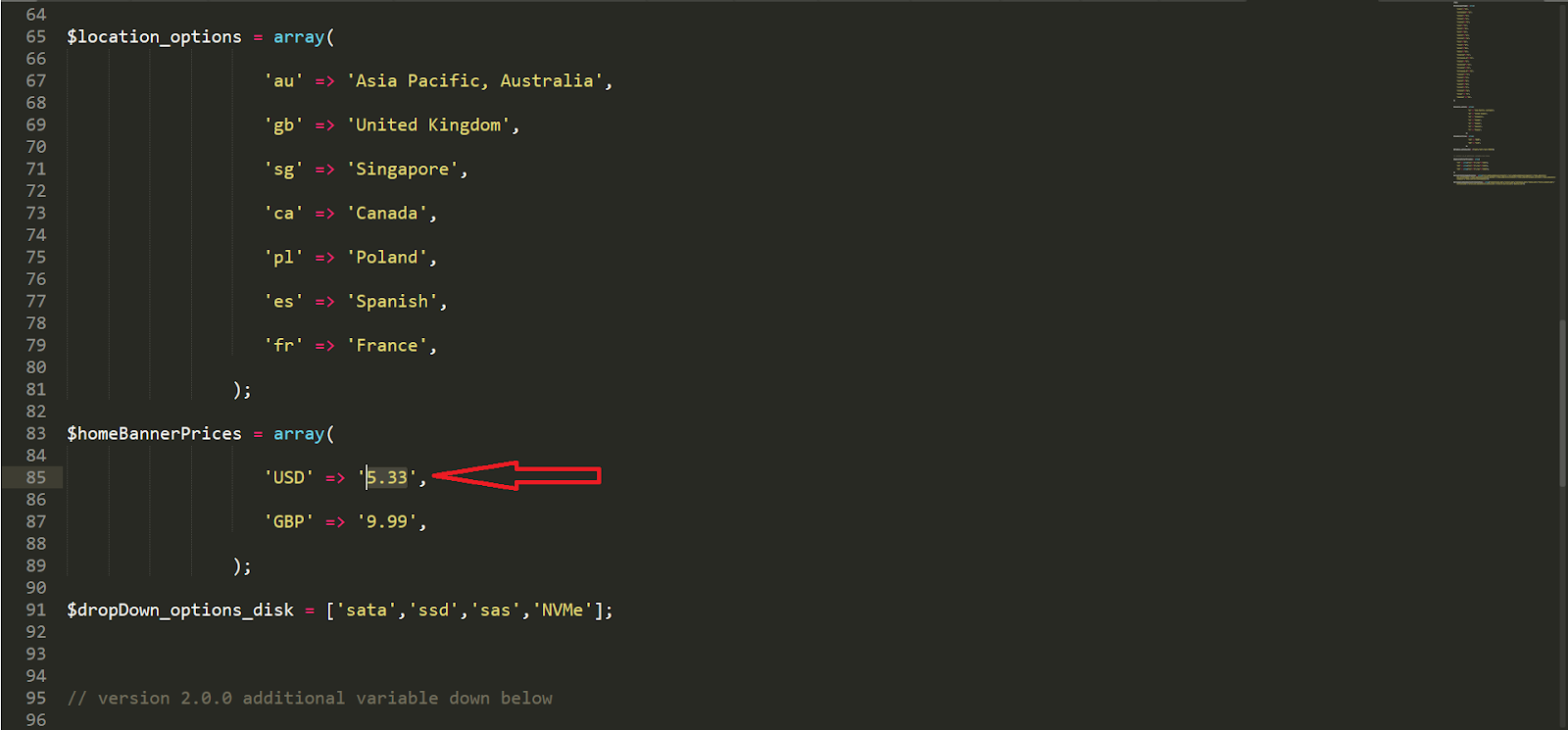
Similarly below change the price of the GBP currency or add any specific currency price.
Not able to find the password reset button?
This is a most common issue faced by HostX users, so here is the solution for this:
Step 1: Login FTP or Cpanel
Step 2: Go to whmcsdir/templates/hostx/
Locate: “password-reset-change-prompt.tpl” file and download it.
Step 3: Take a backup of the file and edit it via file editor.
Step 4: Place the following code in the end of the file and save it.
<script>

jQuery(document).ready(function(){

jQuery("#inputNewPassword2").keyup(function() {

var password11 = jQuery("#inputNewPassword1").val();

var password21 = jQuery(this).val();

if(password11 == password21){

setTimeout(function(){

jQuery('.button03.mt-0').removeAttr('disabled');

jQuery('.main-content input[type="submit"]').attr('disabled',false);

}, 1000);

}

});

});

</script>
Step 5: Upload the file now.
Step 6: Your issue has been resolved permanently.
