
Step 1: Login into the WHMCS backend admin.
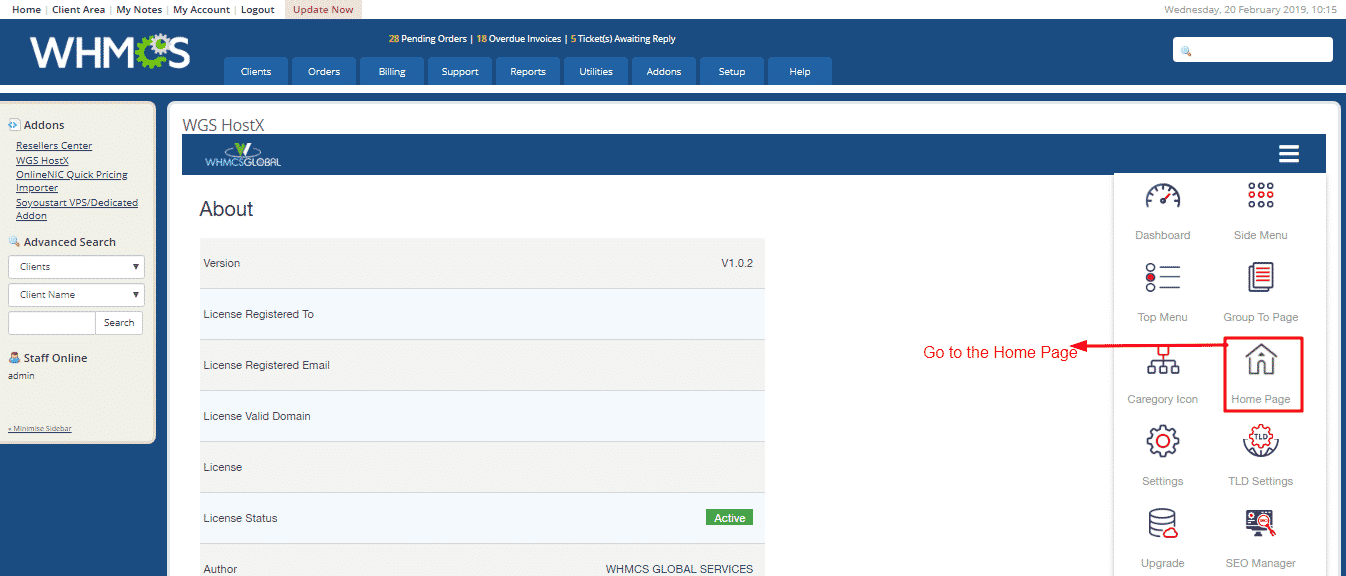
Step 2: Go to Add-ons->WGS HostX
Step 3: Click on sidebar and then, go to the Home page.
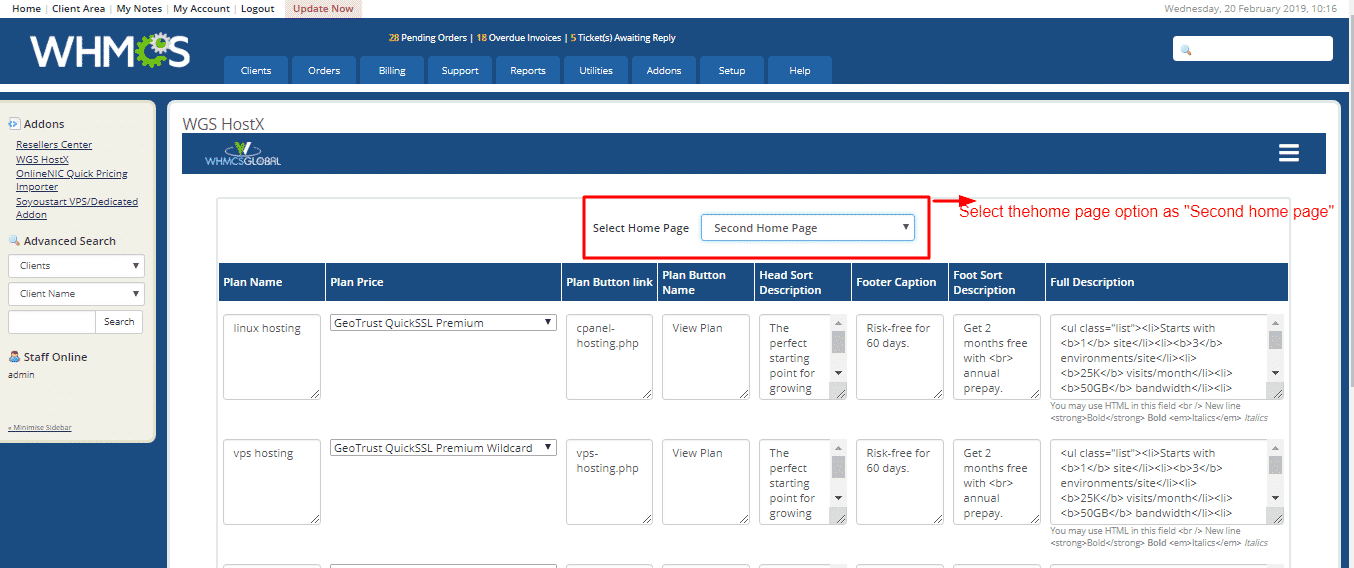
Step 4: Now, you can select the "second home page" option.
Step 5: Now, save changes.
Step 1: Login into the WHMCS backend admin.
Step 2: Go to Add-ons->WGS HostX
Step 3: Click on sidebar and then, go to the Home page.
Step 4: Now, you can select the "second home page" option.
Step 5: Now, save changes.
