WGS ClientX – Announcements Guide
How to Enable Announcements on the Homepage
ClientX allows you to display WHMCS announcements directly on the homepage, keeping your clients informed about updates, promotions, and important notices.
Accessing Announcement Settings
Before enabling announcements, follow these steps:
-
Log in to your WHMCS Admin Panel.
-
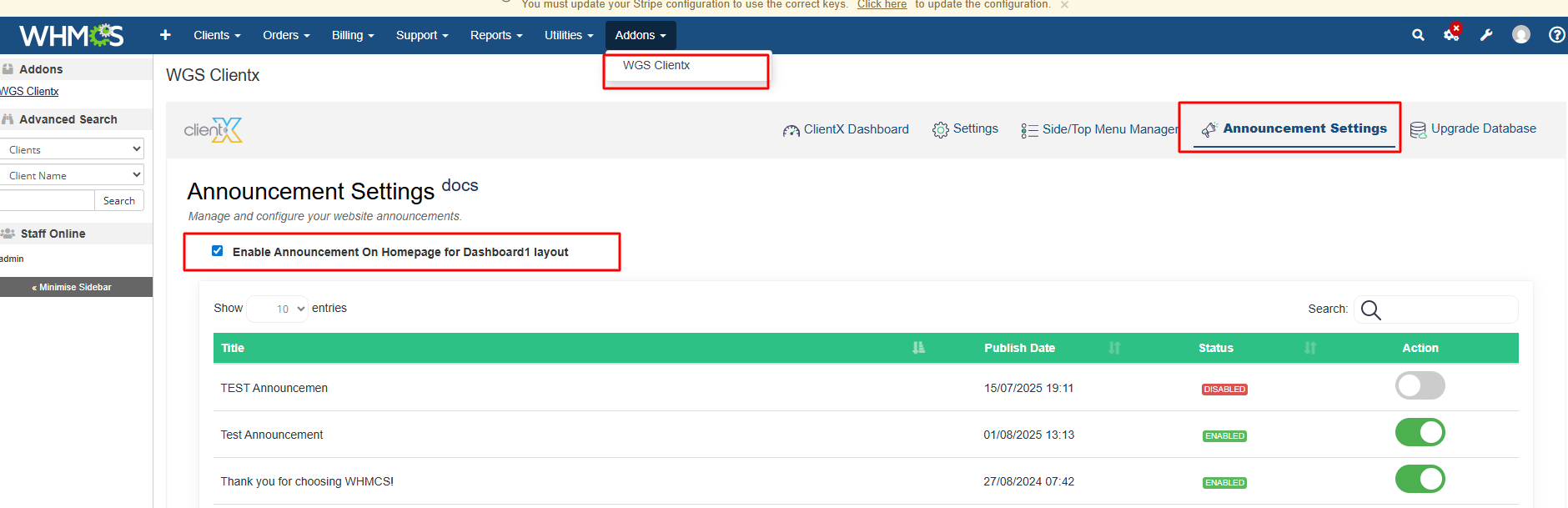
Navigate to Addons > WGS ClientX > Announcement Settings.

Enabling Homepage Announcements
-
On the Announcement Settings page, locate the option Enable Announcements.
-
Check the box to activate the announcements feature.
-
Click Save Changes to apply the settings.
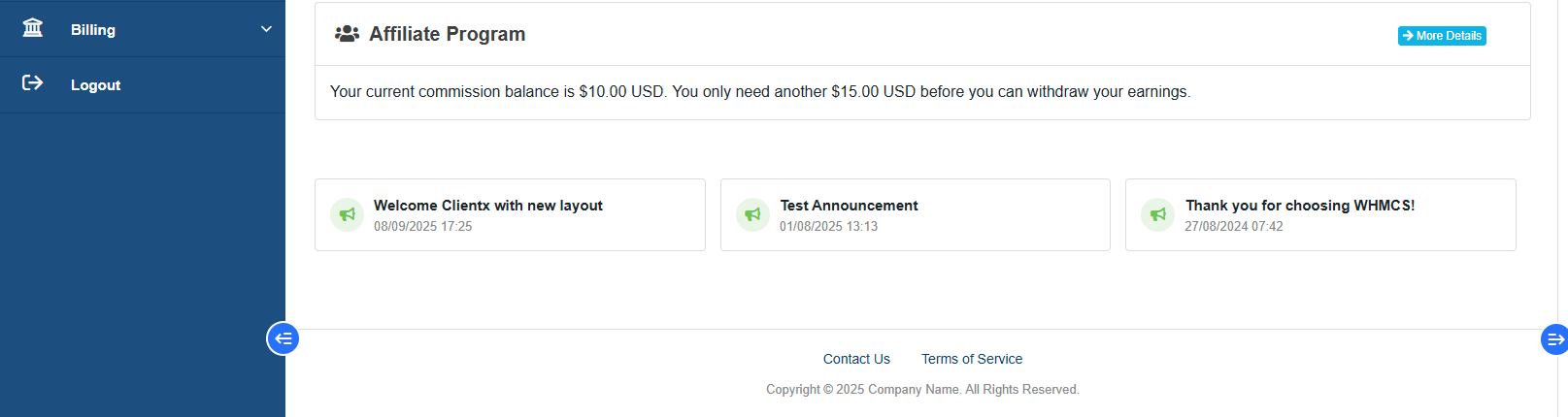
Frontend Preview
-
Once enabled, announcements will be displayed on the homepage as shown below.