To create guest invoice link from clientarea follow given below steps.
- Login to client area of your website
- Go to My Invoices
- Click on Specific invoice
- At the footer you will see a button Get Guest Invoice Link
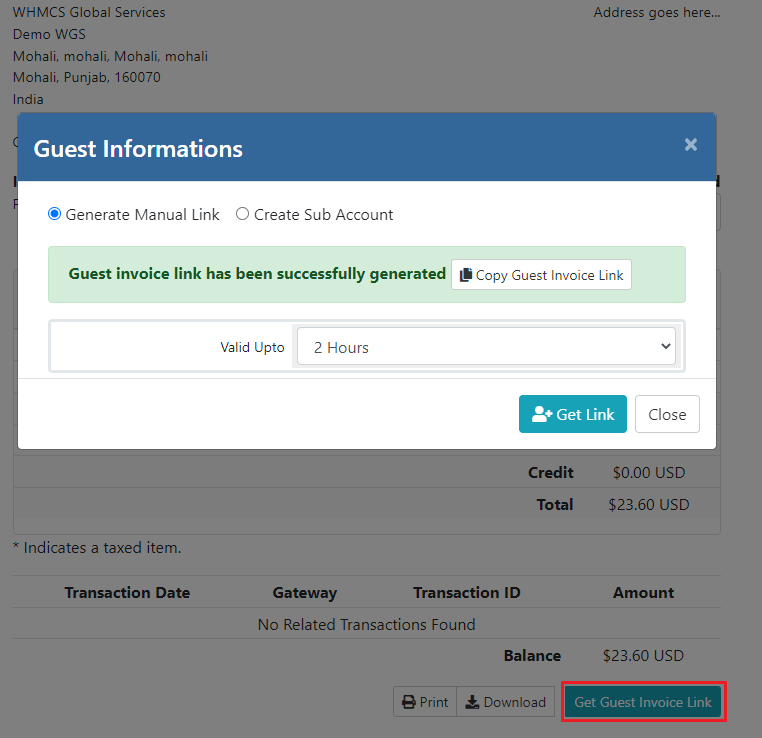
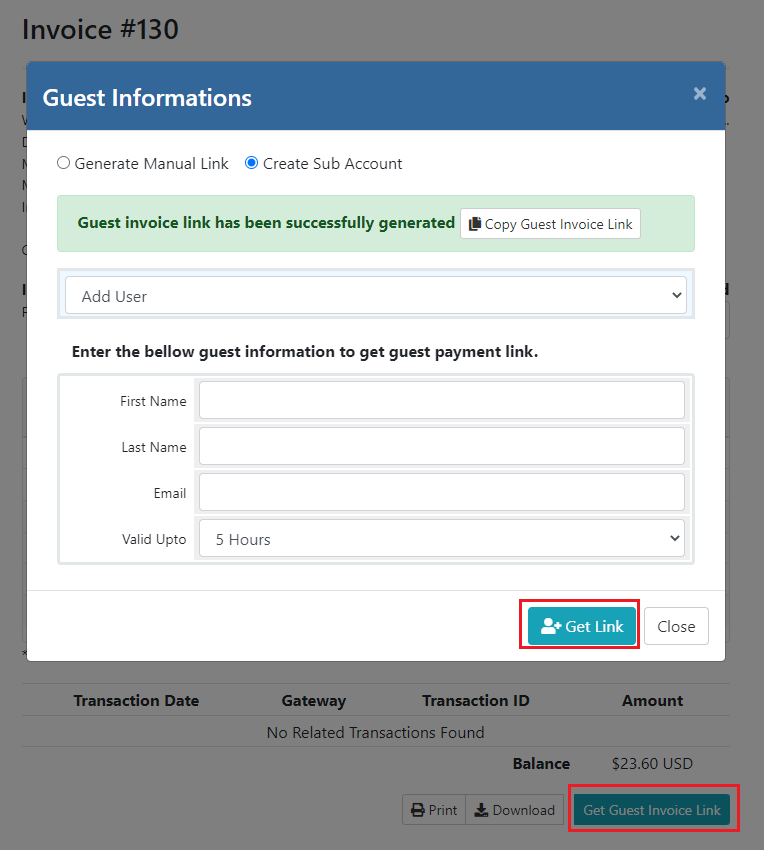
- Click on that button and then a popup will be opened
- You will get 2 options (Generate Manual Link and Create sub account)
- If you choose Generate Manual Link then just choose valid upto and click on Get Link button and copy and share that link to your known person to make payment. With this option when that person will use that link then that user will be auto logged in and pay this invoice. He/she can't access others pages expect invoice page.
- If you choose 2nd option Create sub account then enter sub account information and get the guest invoice link. With this option, module will create the sub account with your main account and when sub account will access that guest invoice link then he/she will be auto loggedin with his/her account and pay the invoice directly without accessing other pages. With this option you can choose existing sub account to generate guest invoice link.