Step 1: Login with any client on same browser tab.
Step 2: After login to client area.
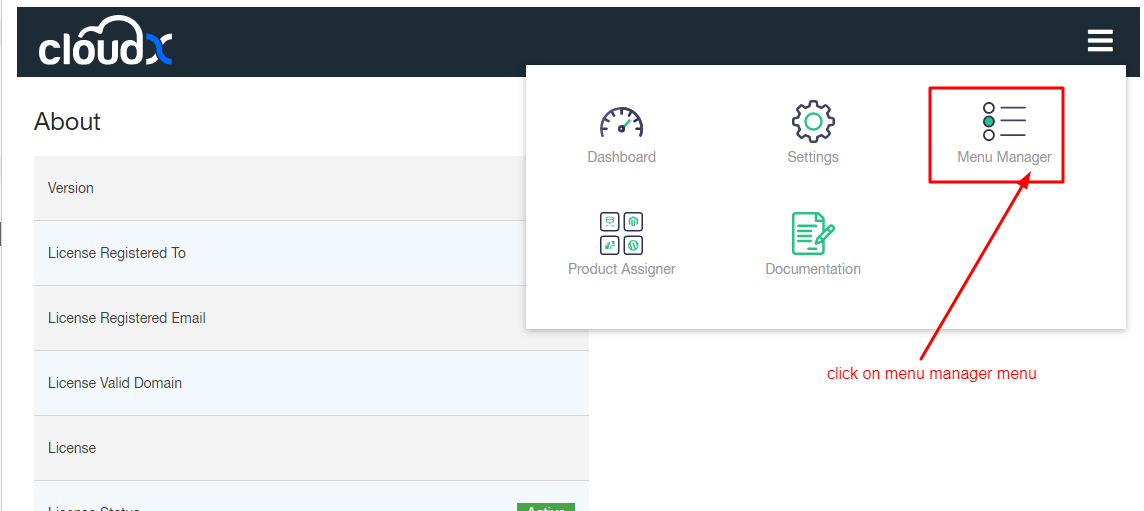
Step 3: Go again to Cloudx menu manager.
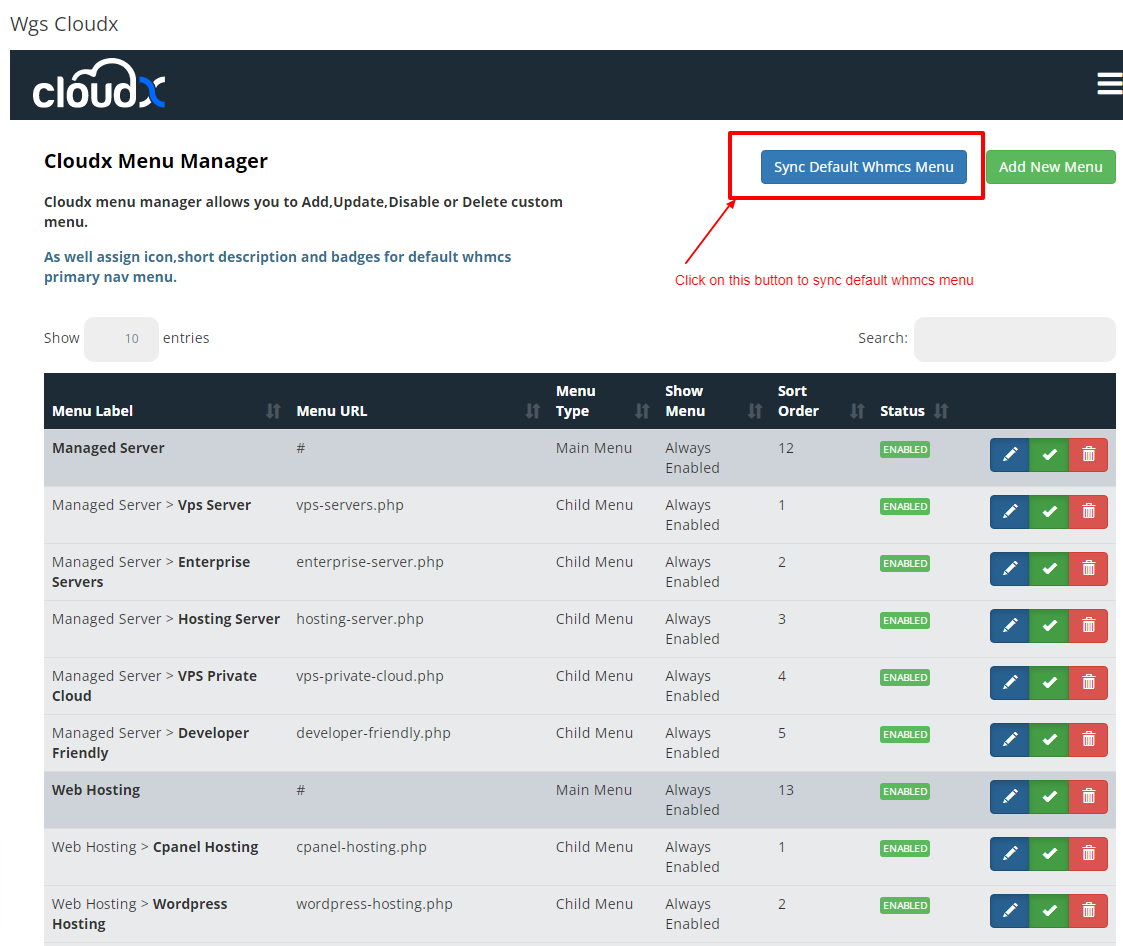
Step 4: Again Click on Sync Default menu this will sync your menu which comes in client area after login.
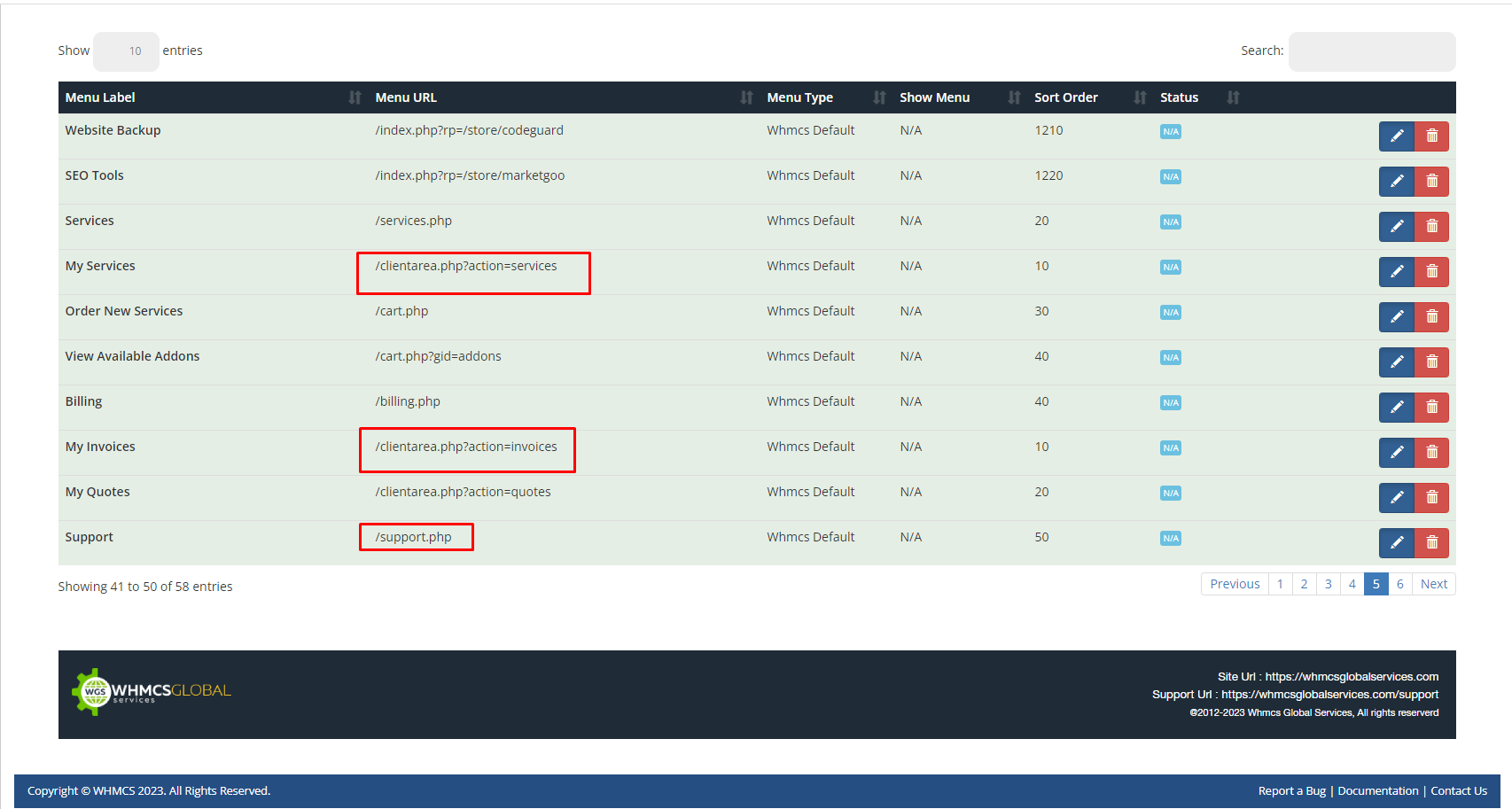
Step 5: After clicking on sync it will look like this.