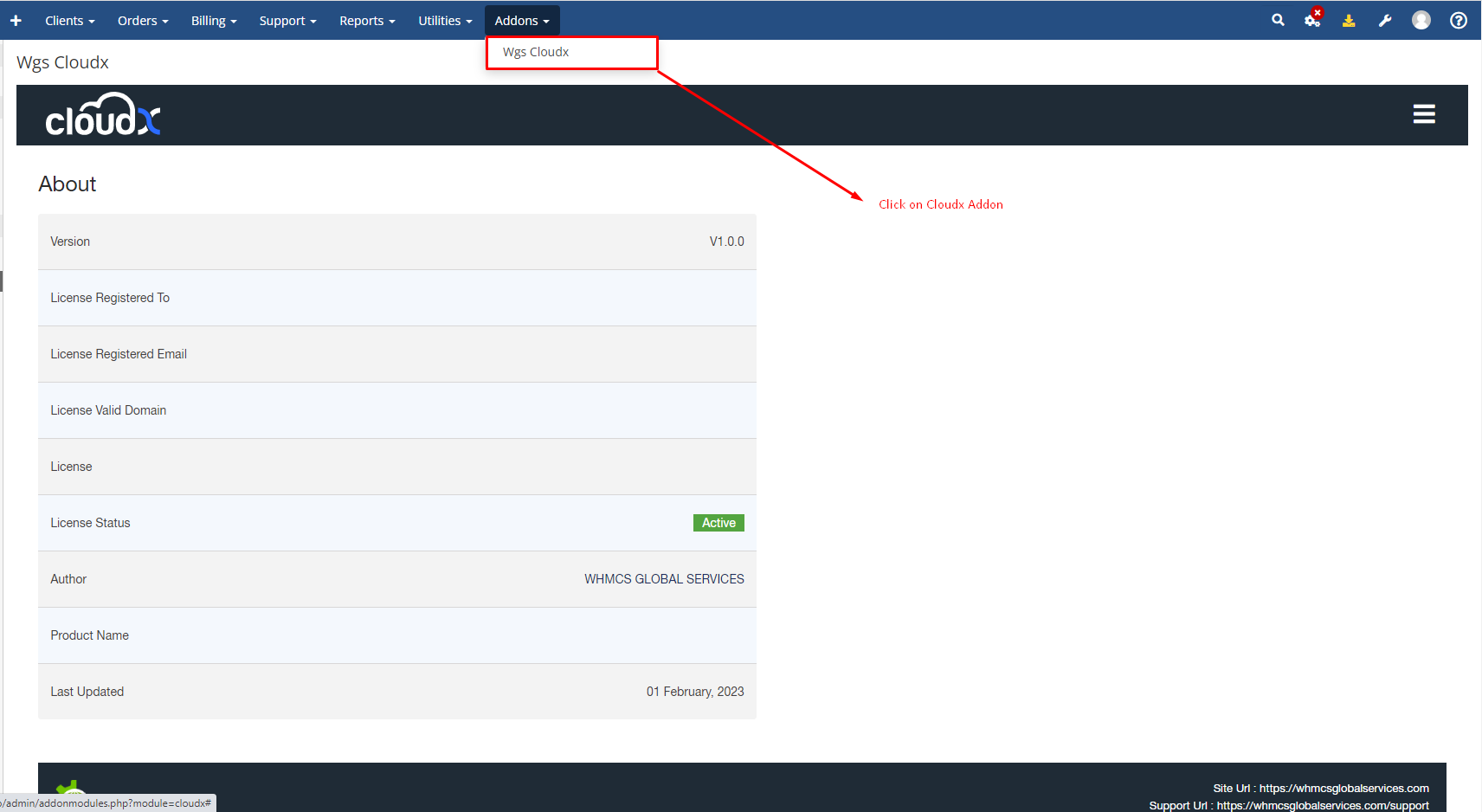
Step 1: Log in to WHMCS Admin and click on Cloudx addon
Step 2: Then click on Settings Menu

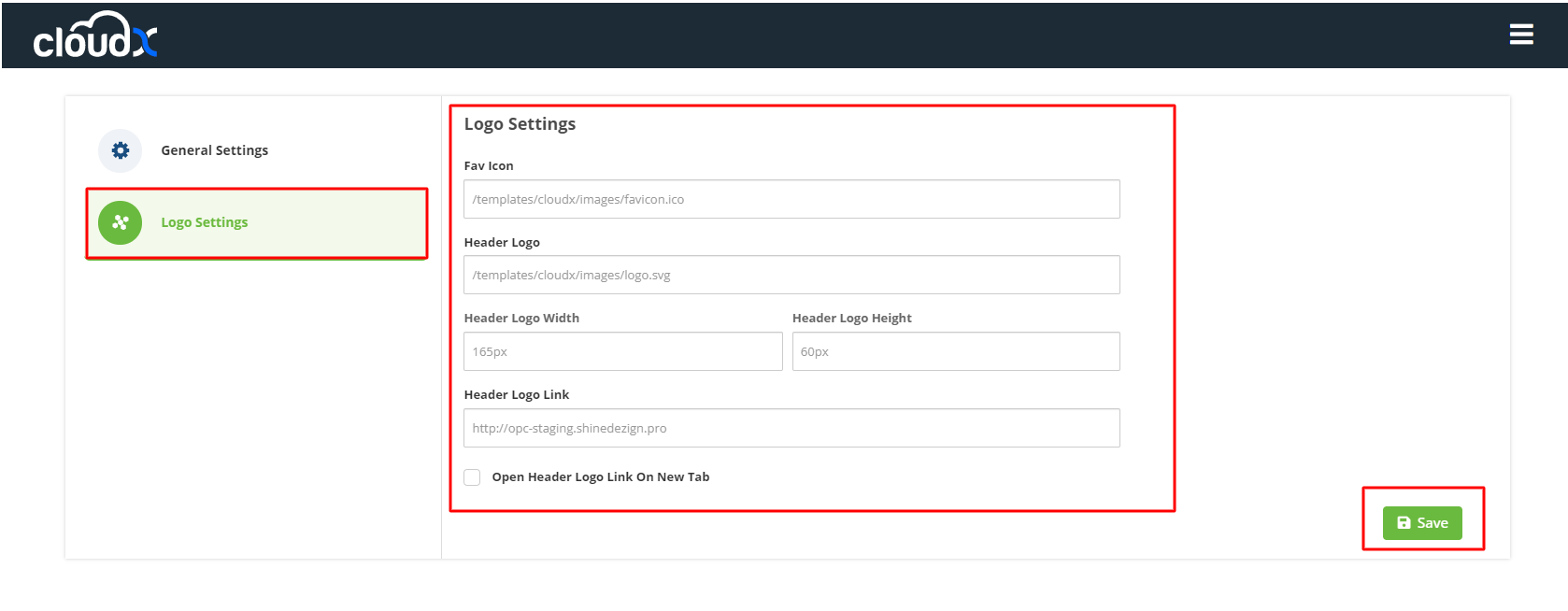
Step 3: After clicking on the setting button you will see the Logo Settings as shown in the screenshot from where you can change the logo settings and then click on the save button