
Step 1: Log in to WHMCS Admin
Step 2: Go to Add-ons > VueJs Whmcs Cart >Setting
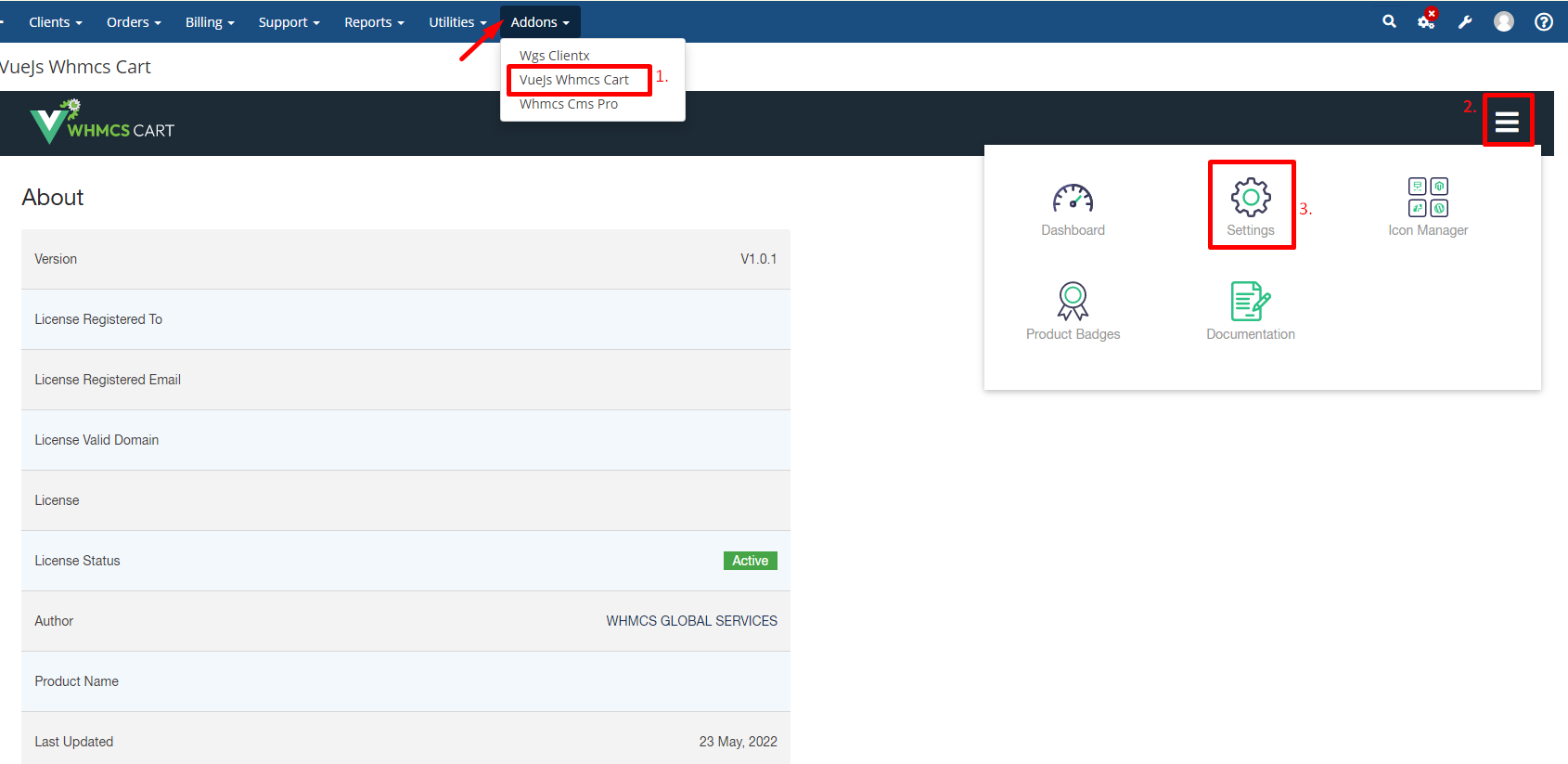
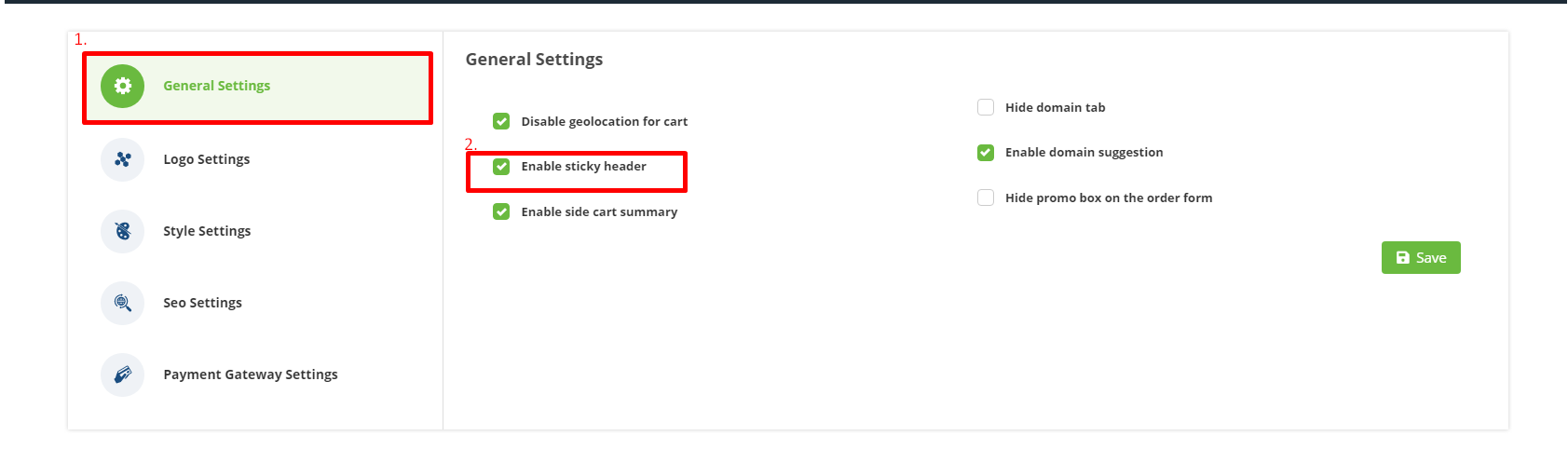
Step 3: Click on setting then go to the general setting then you can enable/disable sticky header
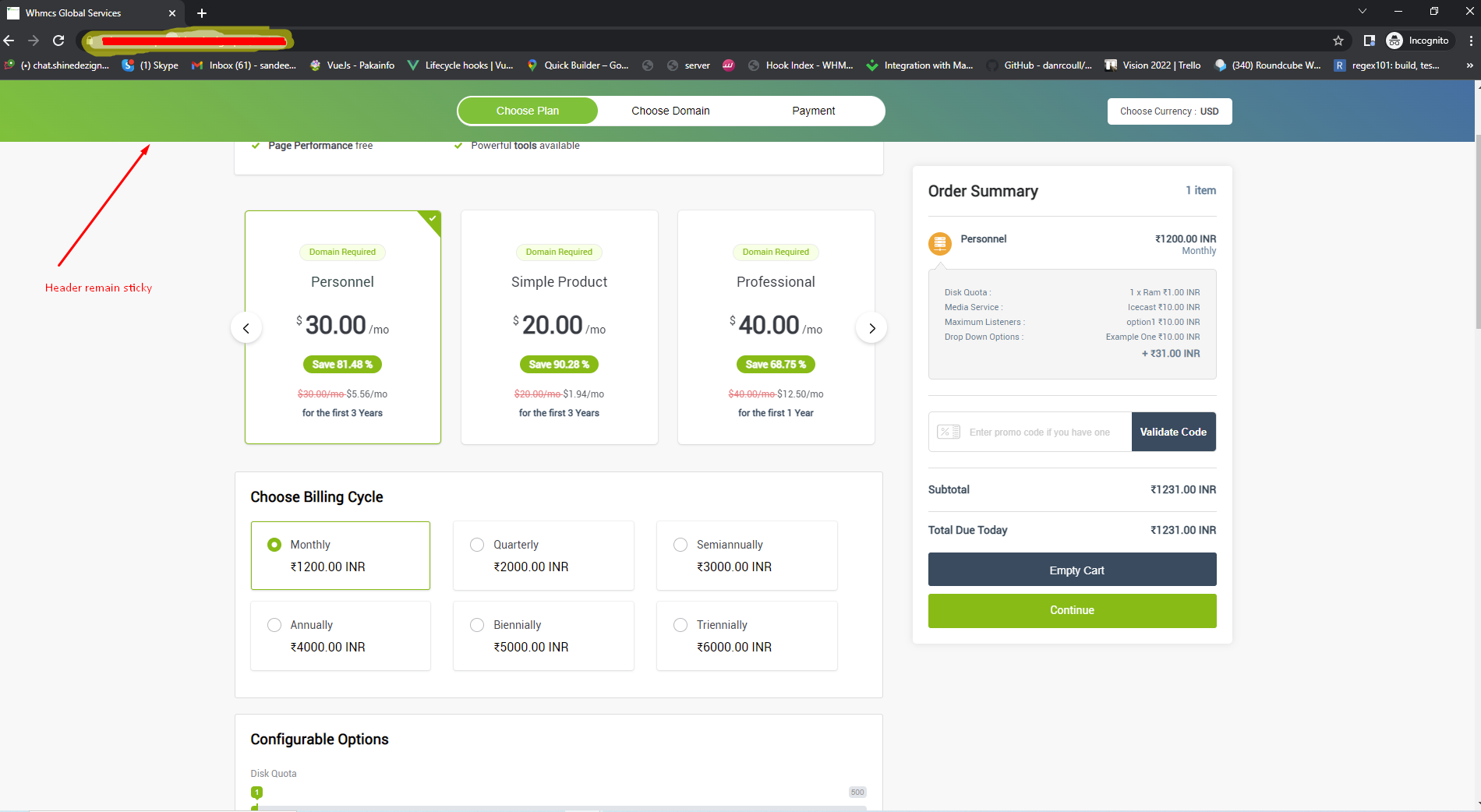
Step 4: Final result will be displayed like this
Step 1: Log in to WHMCS Admin
Step 2: Go to Add-ons > VueJs Whmcs Cart >Setting
Step 3: Click on setting then go to the general setting then you can enable/disable sticky header
Step 4: Final result will be displayed like this
